
23 March 2010

Harder Monsters and More Levels: How To Make A Simple iPhone Game with Cocos2D Part 3

If you're new here, you may want to subscribe to my RSS feed or follow me on Twitter. Thanks for visiting!


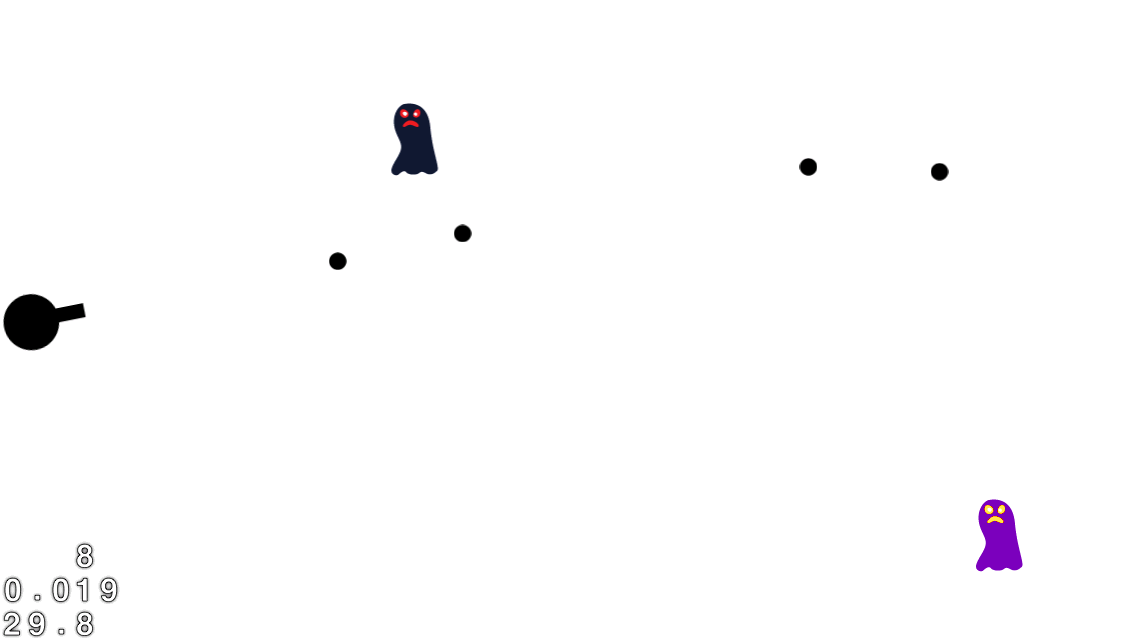
Watch out for the green guy!

Watch out for the green guy!

So far, the game we’ve been making in How To Make A Simple iPhone Game with Cocos2D is pretty cool. We have a rotating turret, monsters to shoot, and uber sound effects.

But our turret has it too easy. The monsters only take one shot, and there’s just one level! He’s not even warming up yet.

In this tutorial, we will extend our project so that we make different types of monsters of varying difficulty, and implement multiple levels into the game.

Tougher Monsters

For fun, let’s create two types of monsters: a weak and fast monster, and a strong and slow monster. To help the player distinguish between the two, download this modified monster image and add it to your project. While you’re at it, download this explosion sound effect I made and add it to the project as well.

Now let’s make our Monster class. There are many ways to model your Monster class, but we’re going to do the simplest thing, which is to make our Monster class a subclass of CCSprite. We’re also going to create two subclasses of Monster: one for our weak and fast monster, and one for our strong and slow monster.

Go to File\New File, choose Cocoa Touch Class\Objective-C class, make sure Subclass of NSObject is selected, and click Next. Name the file Monster.m and make sure “Also create Monster.h” is checked.

Then replace Monster.h with the following:

#import "cocos2d.h"
 
@interface Monster : CCSprite {
    int _curHp;
    int _minMoveDuration;
    int _maxMoveDuration;
}
 
@property (nonatomic, assign) int hp;
@property (nonatomic, assign) int minMoveDuration;
@property (nonatomic, assign) int maxMoveDuration;
 
@end
 
@interface WeakAndFastMonster : Monster {
}
+(id)monster;
@end
 
@interface StrongAndSlowMonster : Monster {
}
+(id)monster;
@end

Pretty straightforward here: we just derive Monster from CCSprite and add a few variables for tracking monster state, and then derive two subclasses of Monster for two different types of monsters.

Now open up Monster.m and add in the implementation:

#import "Monster.h"
 
@implementation Monster
 
@synthesize hp = _curHp;
@synthesize minMoveDuration = _minMoveDuration;
@synthesize maxMoveDuration = _maxMoveDuration;
 
@end
 
@implementation WeakAndFastMonster
 
+ (id)monster {
 
    WeakAndFastMonster *monster = nil;
    if ((monster = [[[super alloc] initWithFile:@"Target.png"] autorelease])) {
        monster.hp = 1;
        monster.minMoveDuration = 3;
        monster.maxMoveDuration = 5;
    }
    return monster;
 
}
 
@end
 
@implementation StrongAndSlowMonster
 
+ (id)monster {
 
    StrongAndSlowMonster *monster = nil;
    if ((monster = [[[super alloc] initWithFile:@"Target2.png"] autorelease])) {
        monster.hp = 3;
        monster.minMoveDuration = 6;
        monster.maxMoveDuration = 12;
    }
    return monster;
 
}
 
@end

The only real code here is two static methods we added to return instances of each class, set up with the default HP and move durations.

Now let’s integrate our new Monster class into the rest of the code! First add the import to your new file to the top of HelloWorldScene.m:

#import "Monster.h"

Then let’s modify the addTarget method to construct instances of our new class rather than creating the sprite directly. Replace the spriteWithFile line with the following:

//CCSprite *target = [CCSprite spriteWithFile:@"Target.png" rect:CGRectMake(0, 0, 27, 40)]; 
Monster *target = nil;
if ((arc4random() % 2) == 0) {
    target = [WeakAndFastMonster monster];
} else {
    target = [StrongAndSlowMonster monster];
}

This will give a 50% chance to spawn each type of monster. Also, since we’ve moved the speed of the monsters into the classes, modify the min/max duration lines as follows:

int minDuration = target.minMoveDuration; //2.0;
int maxDuration = target.maxMoveDuration; //4.0;

Finally, a couple mods to the updateMethod. First add a boolean right before the declaration of targetsToDelete:

BOOL monsterHit = FALSE;

Then, inside the CGRectIntersectsRect test, instead of adding the object immediately in targetsToDelete, add the following code:

//[targetsToDelete addObject:target];	
monsterHit = TRUE;
Monster *monster = (Monster *)target;
monster.hp--;
if (monster.hp <= 0) {
    [targetsToDelete addObject:target];
}
break;

So basically, instead of instantly killing the monster, we subtract an HP and only destroy it if it’s 0 or lower. Also, note that we break out of the loop if the projectile hits a monster, which means the projectile can only hit one monster per shot.

Finally, modify the projectilesToDelete test as follows:

if (monsterHit) {
    [projectilesToDelete addObject:projectile];
    [[SimpleAudioEngine sharedEngine] playEffect:@"explosion.caf"];
}

Compile and run the code, and if all goes well you should see two different types of monsters running across the screen – which makes our turret’s life a bit more challenging!

Screenshot of different monster types

Multiple Levels

In order to implement multiple level support, we need to do some refactoring first. The refactoring is all pretty simple but there is a lot of it, and including it all in this post would make for a long, boring post.

Instead, I’ll include some high level overview of what was done and refer you to the sample project for full details.

Abstract out a Level class. Currently, the HelloWorldScene hard-coded information about the “level” such as which monsters to spawn, how often to spawn them, etc. So the first step is to pull out some of this information into a Level class so we can re-use the same logic in the HelloWorldScene for multiple levels.

Re-use scenes. Currently, we’re creating new instances of the scene class each time we switch between scenes. One of the drawbacks to this is that without careful management, you can incur delays as you load up your resources in the init method.

Since we have a simple game, what we’re going to do is just create one instance of each scene and just call a reset() method on it to clear out any old state (such as monsters or projectiles from the last level).

Use the app delegate as a switchboard. Currently, we don’t have any global state like what level we’re on or what the settings for that level are, and each scene just hard-codes which scenes it should switch to.

We’ll modify this so that the App Delegate stores pointers to the global state such as the level information, since it is a central place that is easy to access by all of the scenes. We’ll also put methods in the App Delegate to switch between scenes to centralize that logic and reduce intra-scene dependencies.

So those are the main points behind the refactoring – check out the sample project to see the full details. Keep in mind this is only one of many ways of doing it – if you have another cool way to organize the scene and game objects for your game please share!

So anyway, download the code and give it a whirl! We have a nice start to a game going here – a rotating turret, tons of enemies to shoot with varying qualities, multiple levels, win/lose scenes, and of course – awesome sound effects! ;]

That’s A Wrap!

Again, if you haven’t grabbed it already here’s the sample project with all of the code we’ve developed so far.

Now that you know how to make a simple game, why not go a step further and learn about how to make a tile-based game in Cocos2D! After all, who doesn’t like Ninjas eating watermelons?

I hope you enjoyed the series, and best of luck with your Cocos2D game projects!


Category: iPhone

Tags: , , , ,

154 Comments

  1. MrLucky (34 comments) says:

    Great!

    I will donate 30 dollars to you for making these awsome tutorials.(it’s almost all i have left at the end of the month :) )

    Cheers!

  2. MrLucky (34 comments) says:

    The game has some kind of bug, that after you win or die, and automaticly start over, most of the times the player just freezes and are not able to shoot :/

  3. Ray Wenderlich (874 comments) says:

    @MrLucky – Wow, thank you so much, that is very generous of you! And thanks for the heads up with the bug – I think I found the problem, I had forgotten to reset the _nextProjectile parameter in the reset() method. I updated the sample project, let me know if that fixes it for you! :]

  4. MrLucky (34 comments) says:

    Yeah, I think you fixed it :)

    Btw, one simple question, how would i set a background to a specific level?

    i tried:

    CCSprite *bg = [CCSprite spriteWithFile:@"Landscape.jpg"];
    bg.position = ccp(160,240);
    [self addChild: bg];

    but it says level doesn’t respond to addChild…

    Thx

  5. Ray Wenderlich (874 comments) says:

    @MrLucky: It sounds like you want a different background for each level, right?

    It sounds like the problem is you’re trying to add the sprite to the level class, but you need to add sprites to CCNodes, and in this case you probably want to add it as a child of the HelloWorld layer.

    So one approach that would work is the following:

    1) Add a member variable to your HelloWorld class and a property to keep track of the current background on the level such as CCSprite *_curBg.
    2) In your reset() method remove any existing background from the scene if curBg does not equal null.
    3) Also in the reset() method, take a look at the curLevel property in the Application Delegate, and create the appropriate sprite for the level and add it to the scene.
    4) Also in the reset() method, then store a pointer to the sprite in the curBg variable for reference next time.

  6. MrLucky (34 comments) says:

    Thank you for quick reply :)

    Could you maybe put in an example in the sample project? I tried what you said, but i’m kinda new at this and i am getting some errors :/

  7. Jason (19 comments) says:

    Hi Ray,

    Could you explain why the HelloWorldScene CCScene subclass contain the class method +(id) scene; or looked at the other way, why the other CCScene subclasses classes don’t have similar class methods?

    Thanks!

  8. Ray Wenderlich (874 comments) says:

    @MrLucky – Sure, I made a quick tweak to the sample project demonstrating how to do that and uploaded a new version. Note that I also moved the name of the image to show into the Level class for easier tweaking.

    @Jason – No particular reason. The scene method is just a helper function to construct a new scene and return it. I think the default Cocos2D template includes such a method, which is why it is there, but when I make scenes from scratch I don’t always include such a method and often just construct them myself.

  9. MrLucky (34 comments) says:

    Ray….. I love u <3

  10. MrLucky (34 comments) says:

    Hi again, i am just playing around with your code and trying to learn a bit about cocos2d while I’m at it, and i have yet another problem…

    I have turned off the landscape mode, and set the player at the bottom of the screen, and made the enemies come from the top and moving down to the bottom.

    I am trying to move the player- sprite, making a vector that moves the player against the x-direction of the touch and also fires a shot strait up when you touch. I am having some trouble understanding the API of the ccp in cocos2d, and i tried this, but doesn’t work:

    - (void)ccTouchesEnded:(NSSet *)touches withEvent:(UIEvent *)event {

    if (_nextProjectile != nil) return;

    //
    // Easier method using Cocos2D helper functions, suggested by
    // Caleb Wren – see comments for post
    //

    UITouch *touch = [touches anyObject];
    CGPoint location = [touch locationInView:[touch view]];

    // Play a sound!
    [[SimpleAudioEngine sharedEngine] playEffect:@”pew-pew-lei.caf”];

    int value = 0;
    if(location.x > _player.position.x && _player.position.x < 320) value = 130;
    if(location.x 20) value = -130;

    CGPoint moveVector = ccpAdd(_player.position, ccp(value, _player.position.y));

    [_player runAction:[CCSequence actions:
    [CCMoveTo actionWithDuration:1.0 position:moveVector],
    [CCCallFuncN actionWithTarget:self selector:@selector(spriteMoveFinished:)],
    nil]];

    // Set up initial location of projectile
    //CGSize winSize = [[CCDirector sharedDirector] winSize];
    _nextProjectile = [[CCSprite spriteWithFile:@"Coconut.jpg"] retain];
    _nextProjectile.position = _player.position;

    // Rotate player to face shooting direction
    CGPoint shootVector = ccpAdd(_player.position, ccp(_player.position.x, 480));

    [_nextProjectile runAction:[CCSequence actions:
    [CCMoveTo actionWithDuration:1.0 position:shootVector],
    [CCCallFuncN actionWithTarget:self selector:@selector(spriteMoveFinished:)],
    nil]];

    // Add to projectiles array
    _nextProjectile.tag = 2;

    }

    If you can figure this one out, that would be awesome :)

  11. MrLucky (34 comments) says:

    Edit

    in the code should be:

    int value = 0;
    if(location.x > _player.position.x && _player.position.x < 320) value = 130;
    if(location.x 20) value = -130;

  12. MrLucky (34 comments) says:

    Damn editor:

    int value = 0;
    if(location.x > _player.position.x && _player.position.x < 320) value = 130;

    if(location.x 20) value = -130;

  13. MrLucky (34 comments) says:

    Man, ok, there last if-sentence should say that if the
    location of the touch.x is smaller then the player.position.x and the player.position is > 20 the value is -130

    that should make a vector moving it to the left if my logic is correct(?)

  14. Ray Wenderlich (874 comments) says:

    So what’s the exact problem you’re having?

    If you want to move the player 10 to the left, you’d write something like this:

    CGPoint position = ccpAdd(_player.position, ccp(-10, 0));
    
    [_player runAction:[CCSequence actions:
        [CCMoveTo actionWithDuration:0.1 position:position],
    ...
    
  15. Ray Wenderlich (874 comments) says:

    Oh and I should mention, there’s also another action called CCMoveBy that moves a CCNode by relative rather than absolute position. So this would be the same as the previous example:

    [_player runAction:[CCSequence actions:
        [CCMoveBy actionWithDuration:0.1 position:ccp(-10, 0)],
    ...
    

    Just a bit more convenient for cases like this.

  16. king (2 comments) says:

    nice job,Ray. i’ve been waiting this tutorial for a long time. finally, you show us how to make the monster class, but it will be great if you make a health bar above each monster or the main player. Anyway, nice tutorial.

  17. MrLucky (34 comments) says:

    Oh ok thx, but that was no quite what i had in mind.
    I was thinking that when you touch to the right of the player he shoots straight up and starts sliding to the right until he hits the end of the screen(bottom right), or the player touches to the left, making him shoot straight up and starts sliding to the left, and so on

    I know its not a typical way of doing it, but i thought it would be a fun way to control a player :)

    Thx

  18. MrLucky (34 comments) says:

    Also, i found out that ccpAdd, adds the to vectors together(?), and thats not what i want, I want to make a vector, and not a point.

  19. MrLucky (34 comments) says:

    Ok, so i kinda figured it out :) If you just switch out
    your ccTouchesEnded with my ccTouchesBegan,
    you can see what i was talking about. Also just
    rotate your image of player to point up.

    Only one problem left, and that is how to make the
    sprite stop when it comes to the end of the screen.
    Any ideas?

    Here is my ccTouchesBegan(it works:) ) :

    - (void)ccTouchesBegan:(NSSet *)touches withEvent:(UIEvent *)event {

    if (_nextProjectile != nil) return;

    UITouch *touch = [touches anyObject];
    CGPoint location = [touch locationInView:[touch view]];

    // Play a sound!
    [[SimpleAudioEngine sharedEngine] playEffect:@”pew-pew-lei.caf”];

    // Move player

    int value = 0;
    if(location.x > _player.position.x && _player.position.x < 320) value = +320;
    if(location.x 0) value = -320;

    [_player runAction:[CCSequence actions:
    [CCCallFunc actionWithTarget:self selector:@selector(finishShoot)],
    [CCMoveBy actionWithDuration:3.5 position: ccp(value, 0)],
    nil]];

    // Set up initial location of projectile

    _nextProjectile = [[CCSprite spriteWithFile:@"Projectile2.jpg"] retain];
    _nextProjectile.position = ccp(_player.position.x +2, _player.position.y +20);

    [_nextProjectile runAction:[CCSequence actions:
    [CCMoveTo actionWithDuration:2 position: ccp(_player.position.x, 480)],
    [CCCallFuncN actionWithTarget:self selector:@selector(spriteMoveFinished:)],
    nil]];

    // Add to projectiles array
    _nextProjectile.tag = 2;

    }

  20. MrLucky (34 comments) says:

    Once again the editor cuts out a part of my code =/

    After this if-sentence :
    if(location.x > _player.position.x && _player.position.x < 320) value = +320;

    Add this sentence:
    if(location.x 0) value = -320;

    Instead of this sentence:
    if(location.x 0) value = -320;

  21. MrLucky (34 comments) says:

    haha, omg it did it again, ok, this is what the last if
    sentence should check for:
    if(touch.x is less then _player.position.x and
    _player.position.x is bigger than 0) value = -320

  22. Ray Wenderlich (874 comments) says:

    One way to make the sprite stop when it reaches the end of the screen is to use a CCMoveTo specifying the exact location to move the sprite, and perform some checks to make sure you do not request to move it beyond the edge of the screen.

  23. Craig Stowell (3 comments) says:

    Awesome stuff Ray. Very new to programming and curious as to why I see you guys writing variables like _curHP and then synthesizing them as HP. I assume it must have to do with the getters and setters that are generated but you know what they say about assuming things :)

  24. Ray Wenderlich (874 comments) says:

    Hey Craig, basically the reason for the underscore is to make it easier to distinguish when you’re using a property and when you’re using a member variable. Otherwise there is more potential for confusion and mistakes. See my response to Jason’s question in part 1 for more info.

  25. Craig Stowell (3 comments) says:

    Ahhh ok that makes sense. Thank you.

    Your page is a great service.

  26. Atif (10 comments) says:

    Hello Ray. Please write a tutorial on how to pause/resume the game in cocos2d, if user receives a phone call or home button is pressed or device is turned off during gameplay?

    For now please give me a bit of code hint for this. Thanks.

  27. Astri (2 comments) says:

    Very nice addition.

    Ray, could you please tell me what steps would you follow to add a visual explosion after the explosion sound?

    (P.S. : that song rocks…. it keeps looping in my ears.)

  28. Ray Wenderlich (874 comments) says:

    @Atif – It’s pretty easy, not sure it would warrant a full post. Basically to pause the game you just have to call a method in CCDirector to pause the game – and also SimpleAudioEngine if you’re using it to play music:

    [[CCDirector sharedDirector] pause];
    [[SimpleAudioEngine sharedEngine] pauseBackgroundMusic];
    

    When you want to start back up, just call the opposite methods:

    [[SimpleAudioEngine sharedEngine] resumeBackgroundMusic];
    [[CCDirector sharedDirector] resume];
    

    When your app gets interrupted via a phone call or other interruption, the method applicationWillResignActive will get called in your application delegate. Here you should pause it – and by default the Cocos2D template does this.

    If the user chooses to return to your app, applicationDidBecomeActive will be called. By default, the Cocos2D template resumes the game here. However, Apple suggests you might not want to resume the game here – you might want to keep it paused so the player can resume once they’re ready to continue the action.

    @Astri: I’d recommend looking into the particle system for this. Check out the ParticleTest demo that comes with Cocos2D. Alternatively, you could draw an explosion animation with a series of images and use CCAnimation – see the SpriteTest demo for that.

  29. Atif (10 comments) says:

    @Ray thanks… I tried this yesterday but it didn’t resume the game. I checked it again today to confirm that if I was making some mistake in the code but found everything right.

    In fact applicationWillResignActive is not the method being called but it is applicationWillTerminate method which gets called on interruption, so I placed
    [[CCDirector sharedDirector] pause];
    in applicationWillTerminate method.
    This statement does work here, sets isPaused_=YES in CCDirector class and pauses the game but when I return to the game
    [[CCDirector sharedDirector] isPaused]
    should return YES but it returns NO.

  30. MrLucky (34 comments) says:

    Lets say you wanted a label to show you how many
    enemies you have killed. How would you do this?

    I have it almost done, but the thing is, every time
    you go to the next level the score goes back to zero

  31. Ray Wenderlich (874 comments) says:

    @Atif – when applicationWillTerminate is called, that means your app is exiting. This would happen if the user accepted the call. In this case, you’d need to save the state of your game to disk, so you can restore it next time you start up.

    @MrLucky – Where are you storing your score variable?

  32. MrLucky (34 comments) says:

    In HelloWorld

  33. Ray Wenderlich (874 comments) says:

    If you’re storing the score as a member variable as the HelloWorld class, if you are re-using the class (i.e. not making a new instance of the HelloWorld class), the contents of the variable should be the same. You might want to set a breakpoint in your init method to verify you’re only constructing the class once. Otherwise, check to make sure that you’re not resetting the score when you reset the level, and that you’re displaying the latest score on reset correctly.

  34. MrLucky (34 comments) says:

    I’am not re-using it, and it’s still resetting :/
    Would it be possible for you to add a score-label to the sample project/

  35. MrLucky (34 comments) says:

    @edit

    I am re-using it

  36. MrLucky (34 comments) says:

    I have been trying all sorts of methods now, and still no luck :/ If you could implement this feature, that would really help a lot :)

  37. Janice (7 comments) says:

    Thank you for your tutorial. I was trying to plan out how to best organize my classes using your tutorial as a base. Am guessing you are using MVC with the App Delegate as the controller, and the classes both are Model and View?

    I have code that scrolls the background based on what arrow (sprite) is pressed. Would this code go in the App Delegate or in Level.m? I would also like to be able to swap out the image associated with the background based on level, so would this go in Level.m?

  38. Ray Wenderlich (874 comments) says:

    @MrLucky – Sure, I’ve updated the project to include a score label. Best of luck!

    @Janice – This project isn’t really set up to use the MVC pattern, as it’s just a simple example. A bunch of guys in the Cocos2D forums have posted about ways to do this though. Check this out:

    http://www.cocos2d-iphone.org/forum/topic/3893

    If you’re following the format of this example, the background scrolling (which is particular to a specific layer/scene) would reside in the class for that layer/scene. The application delegate in this example is just used as a “central switch” to switch between scenes.

  39. MrLucky (34 comments) says:

    Thank you so much :)

  40. MrLucky (34 comments) says:

    One last question :)

    How would I check if a monster is an instance of WeakAndFastMonster or StrongAndSlowMonster?

    For example in java, one would write:

    if(monster instanceOf WeakAndFastMonster) {}

    How does this work in cocos2d/objective c ?

  41. Ray Wenderlich (874 comments) says:

    There’s a similar method in Objective-C, it’s:

    if ([monster isKindOfClass:[WeakAndFastMonster class]]) {
        ...
    }
    
  42. MrLucky (34 comments) says:

    Thanks for quick answer :)

    That took care of the problem!

    Would it be ok if i used your code as a base for my game? :)

  43. Ray Wenderlich (874 comments) says:

    Yep that’s what it’s here for – best of luck!

  44. MrLucky (34 comments) says:

    Thanks Ray :)

  45. Raya2 (1 comments) says:

    Hi Ray, very nice tutorial! I haven´t tried the game yet but I will just getting home.

    It seems that a bunch of code were added with all the questions in the comments.

    Any way I just want to say hello and thank you for such a great job.

  46. Janice (7 comments) says:

    @Ray

    Thank you for your comment above, I figured it out. I am trying to add a Sprite animation when the target is hit.

    Following your example in my (void)update I have something like:

    // Animation with sprite sheets
    CCSprite *sprite = [CCSprite spriteWithSpriteFrameName:@"m_01.jpg"];
    sprite.position = ccp(target.position.x, target.position.y);
    CCSpriteSheet *spritesheet = [CCSpriteSheet spriteSheetWithFile:@"meteor-sheet.jpg"];
    [spritesheet addChild:sprite];
    [self addChild:spritesheet];

    NSMutableArray *animFrames = [NSMutableArray array];
    for(int i = 1; i < 2; i++) {
    CCSpriteFrame *frame = [[CCSpriteFrameCache sharedSpriteFrameCache] spriteFrameByName:[NSString stringWithFormat:@"m_%02d.jpg",i]];
    [animFrames addObject:frame];
    }

    CCAnimation *starExplode = [CCAnimation animationWithName:@"starExplode" delay:0.1f frames:animFrames];

    id explodeAnim = [CCAnimate actionWithAnimation:starExplode];
    id actionMoveDone = [CCCallFuncN actionWithTarget:self selector:@selector(targetHit:)];
    [target runAction:[CCSequence actions:explodeAnim, actionMoveDone, nil]];

    All my assets seem to be here… am I missing something? It doesn't give any warnings or compile errors. Thank you again!

  47. Ray Wenderlich (874 comments) says:

    @Janice: At a quick glance I don’t see any problems with the above code. In the past when I was having troubles with animations, I found it useful to add an NSLog statement inside CCAnimate::Update, right before setDisplayFrame to log out that it is attempting to switch the frame of the sprite. This helps show if it’s really trying to set the correct frame.

  48. Janice (7 comments) says:

    @Ray: Thank you again, I will try putting more traces in my animation.

    I am trying to add a variable for health. I have an int called life which is initialized at 5. In my update I have:

    if (CGRectIntersectsRect(playerRect, targetRect)) {
    NSLog(@”intersect…”);
    playerHit = TRUE;
    life -= 1;
    NSLog(@”life is: %d”, life);
    [self updateLife:life];
    }

    It doesn’t always detect the collision, and when it does, life continuously decrements. For eg, my traces look like: life is: -45, etc … How do I get it to just decrement the variable once when collision is detected?

    Thank you again.

  49. MrLucky (34 comments) says:

    Hi again Ray, i have another question regarding this game:)

    If i wanted to make a super-bullet that went through the enemy and making the hp -= 1 for every enemy in its path, how would i do that?

    I have tried for a while to make it work, and by not removing the bullet if it intersect with an enemy, i get exactly what i want, except it kills all the enemies regardless of what hp it got. How can i limit my bullet to only take 1hp from each enemy?

  50. MrLucky (34 comments) says:

    I have tried nearly every possibility i know, but for some reason it still kills every monkey instantly :S

  51. Ray Wenderlich (874 comments) says:

    @Janice, MrLucky: I think you guys both have similar issues here.

    You basically need to add some code to keep track of whether you’ve already noticed the collision between a bullet and an object. I had the exact same situation in the game I’m working on, what I did was to have a subclass of CCProjectile for my bullet, and have a member variable with an NSMutableArray of the monsters the bullet has intersected with. On an intersection, I would check to see if the monster is already in the array, and if so I would ignore it. Otherwise, I’d process the results as normal (subtracting HP from the monster).

  52. MrLucky (34 comments) says:

    I figured it would be something like that yes:)

    I have been trying, but i’m not quite getting the result i wanted :/ If it is not to much to ask, would it be possible for you to add the code to the sample project? :)

  53. MrLucky (34 comments) says:

    Or if you don’t want to change the tutorial, you could just send me the update at christian_lysne@hotmail.com :)

  54. finefin (1 comments) says:

    Ray, thank you for your wonderful tutorials! Within a couple of hours I was able to easily juggle cocos2d-code in a test project. It should be easy to develop a game with the knowledge you provide here.

    Your way of writing is perfectly understandable, you provide ad-hoc help in the comments sections and — you let your wife do the drawing :D

    All this makes your blog one of the most helpful and most likable blogs on game dev for the iPhone I stumbled upon.

    Keep up the great work and greetings to your wife. I really like the monsters!

  55. MrLucky (34 comments) says:

    I tried something like this, but what i don’t really understand is how to combine it with the _projectile array, and what method should there be in the Bullet interface? Sry, i’m just really new to all this…

    @interface Bullet : CCProjectile {
    NSMutableArray *_hitted;
    }
    @end

  56. Darc_pyro (3 comments) says:

    just an idea for a future tutorial, how to subclass things in cocos 2d like a sprite to make a custom sprite

  57. Ray Wenderlich (874 comments) says:

    @MrLucky: I’ve already been in contact with you via email about this, but for everybody else, I’ve updated the sample project so that the projectile doesn’t get destroyed when it hits a target – instead it can hit multiple targets, but each one only once, using the method I described above. Hope it helps!

    @firefin: Thank you very much for the kind words. My wife was extremely tickled to see someone appreciated her monsters! :]

  58. Fork (6 comments) says:

    Hi Ray, first up thank you so much for the tutorials, they’re the best I have come across and have helped so much.

    I hate to post this but i’ve run out of ideas, I’m the Monster part of this tutorial for my Object class.

    Here’s the relevant code, I’ve >>>>’d against the line that is crashing.

    In HelloWorldScene.m:

    Object *thisObject = nil;
    thisObject = [AppleObject object];

    In Object.m (your Monster.m):

    @implementation AppleObject

    +(id)object {

    AppleObject *object = nil;

    >>>> if ((object = [[[super alloc] initWithFile:@”apple.jpg”] autorelease])) {
    object.points = 1;
    object.minMoveDuration = 3;
    object.maxMoveDuration = 5;
    }
    return object;
    }

    And its definition in Object.h (your Object.m):

    @interface AppleObject : Object {
    }
    +(id)object;
    @end

  59. Ray Wenderlich (874 comments) says:

    @Fork: At first glance, I’d double check that apple.jpg is included in your project and is capitalized correctly, Cocos2D crashes if the file you try to load isn’t there.

  60. Fork (6 comments) says:

    Thanks for the reply but yes the file is in the project and named correctly. Currently i’m able to make the apples with this line:

    thisObject = [CCSprite spriteWithFile:@"apple.jpg" rect:CGRectMake(0, 0, 21, 22)];

    I just subbed in your exact Monster files and they work so I guess i’ll slowly work backwards from there converting them to Object and try figure out what it was.

    Sorry to bother you and many thanks again for the brilliant tutorials =D

  61. Fork (6 comments) says:

    Well that’s very strange. I’ve changed it from Object to Collectable and it works fine, I assume ‘Object’ or ‘object’ is a special word for the language/compiler so it clashed with something.. Not to worry, all is well!

  62. Charlie (4 comments) says:

    Best cocos2d tutorials i have seen, thank you! tell your wife that my son (4yr old) loves the little monsters too :)

    Gonna go pick up your math ninja game too for him to support your great work here, thanks again.

  63. Nirbhay (6 comments) says:

    hey,

    I am new to cocos2d and have been following your tutorials. Thank you very much for such wonderful tutorials.

  64. Ray Wenderlich (874 comments) says:

    @Charlie: Thanks much!! I’ll let my wife know your son liked the monsters, she’ll be thrilled! :]

  65. Bucky (1 comments) says:

    Flattr – Get it, you’ll need it ;)

  66. Syn (36 comments) says:

    I keep getting an uncaught exception and it will only show one type of enemy.

    the best that I can tell is that when multiple shots are fired the exception is thrown. I downloaded your source code but it has a lot that wasn’t covered here such as the level, points, and the Projectile subclasses. I just want to understand why its throwing this exception rather than try and copy and paste and say look what I did.

    objc[1328]: objc_exception_throw failed

    thats what I got in the log and

    0x302ac924 leave

    for the debug.

    and this tutorial has been extremely productive and informative, I thank you for it. You actually explain things not like others that say, and I quote “I don’t know why you have to put that line of code but you do to make it work”

  67. Ray Wenderlich (874 comments) says:

    @Syn: Unfortunately, I don’t have enough information from what you provided there to diagnose the issue.

    Is there anything more useful higher in the backtrace that points to actual functions that you wrote?

    If not, one strategy to try is keep taking out portions of the code until you narrow down the problem area.

  68. Petrus Ali Saputra (4 comments) says:

    Hi, I’m trying to make the enemy shoot the same weapon to the player. But, I want the enemy object does that independently.

    My problem is, if I do [self addChild:gunSprite] from the enemy object. It will make the gun as the enemy child and the weapon move according to the enemy object current coordinate. I want the weapon move by itself (as the player’s weapon).

    How can I do that? Plz help. And sorry for my English.

  69. Syn (36 comments) says:

    well I feel it has something to do with the monsters, as I only get one monster its the green image and its only taking one shot to kill him.

    as far as the uncaught exception I’m getting,
    farther back it is,
    -[HelloWorld update:]
    for(CCSprite *projectile in _projectiles)

    that’s the only one of my functions I can find in the debug log.

  70. Ray Wenderlich (874 comments) says:

    @Petrus: When you add a child to a node, the child’s position is relative to the parent. So you probably don’t want to add the bullet as a child of the monster, instead you should add the bullet to the layer.

    @Syn: I’m sorry there’s still not enough information to provide an answer for this. Like I said, I suggest removing code until you narrow down what is causing the problem, or comparing your code to the sample project.

  71. Petrus Ali Saputra (4 comments) says:

    Thanks for the reply. How can I add the bullet to the layer from the monster’s class?

  72. Syn (36 comments) says:

    I believe I’ve found the problem, I commented out

    [self schedule:@selector(gameLogic:) interval:1.0];

    and I could fire as many shots as I wanted no Exceptions thrown, but no monsters, I include it and it throws it. I noticed that you moved this code from the INIT method to the RESET method and I never saw that part of the tutorial so did I miss something?

  73. Petrus Ali Saputra (4 comments) says:

    May I have a clue here?

  74. Ray Wenderlich (874 comments) says:

    @Petrus: If you’re structuring your code the same way we did in the example here, you could get a pointer to the layer by accessing the “parent” property of the Monster sprite – and then add the bullet to the parent.

    @Syn: Looks like you have an issue in your gameLogic method, you should narrow it down further from there. The reason it’s in the reset rather than the init is because you need to start up the scheduler each time the scene is entered, not just the first time (init is just first time, reset is every time).

  75. Petrus Ali Saputra (4 comments) says:

    Yes, I’m structuring just like your example. And sorry for another stupid question. How may I access the parent property?

  76. Syn (36 comments) says:

    So I should move them to the reset method? and just modify the code from there? and i checked the gameLogic method and it matches exactly like the one you’ve laid out.

  77. Ray Wenderlich (874 comments) says:

    @Petrus: Since the Monster sprite derives from CCSprite (and hence CCNode), the parent property is part of CCNode and hence part of the Monster sprite. So you can just access it with self.parent.

    @Syn: My guess is that there’s some other issue involved other than moving it to the reset method or not. I’d step through your code line by line with the debugger and examine the variables to try to see what’s going wrong. If all else fails, you can follow the tutorial exactly as above and it should work :]

  78. Syn (36 comments) says:

    well I went through each of the tutorials and re-Wrote ALL the code, (worked so long on it gave me a headache from staring at the screen so long lol) I compared it to my other file and everything matches up perfectly no typos no coding errors, no differences, and it works. I have no idea what the deal is but here’s the kicker I copied and pasted the files over and It made my original file work. I have no clue what the deal is but hey it works now!

  79. Mark W (7 comments) says:

    I noticed the score doesn’t reset back to 0 when you beat the game or game over.

    Also, you said you used properties to release variables (self.foo = nil) but I see alot of member variables used to release (_nextProjectile = nil, _player = nil; in HelloWorldScene.m) or am I totally off?

  80. Ray Wenderlich (874 comments) says:

    @Mark: Oops, forgot to reset the score in the reset method. I’ve updated the sample code with that.

    Also, you are right about the properties! I usually use properties to help prevent mistakes with memory management – and for some reason I was doing it manually this time, and actually had a memory leak at one point by setting nextProjectile to nil without releasing first! I also updated the sample code to use a property for nextProjectile to be more consistent.

    Thanks!

  81. Syn (36 comments) says:

    hey me again Quick question, how exactly would you increment the score based on which monster that you defeat?

  82. Syn (36 comments) says:

    I was thinking of making the green monster a value of 5 and the purple one a value of 2, then in the update making an if statement that went something like,

    If(WeakAndFastMonsterHP == 0)
    {
    pointValue + _score;
    }

    and doing the same for the Strong monster, I haven’t tried it yet because I want to make sure I’m on the right track before I undo what I’ve done already.

  83. Syn (36 comments) says:

    Nevermind lol, for anyone who wants to know I just take and make a new value in the monster class,

    monster.score = 5

    then in the update method instead of using score++; I used

    scoreValue = monster.score + _scoreAmount;

    works perfectly!

  84. Fork (6 comments) says:

    Hi Ray, Just wondering if you have any idea how to implement ‘go to level’ logic. I’ve tried copying the restartGame and levelComplete functions but it must be missing something – It seems to half load but then freezes..

  85. Ray Wenderlich (874 comments) says:

    @Fork: Have you looked at the sample project yet, which contains an example of multiple levels?

  86. Fork (6 comments) says:

    Hi Ray, Yep I have and are using that as a base but I still can’t get it working right. Basically the function is:

    - (void)goToLevel: (int)num {
    _curLevelIndex = num;
    [self nextLevel];
    }

    I must be missing something..

  87. Ray Wenderlich (874 comments) says:

    @Fork: In the sample project, all the “nextLevel” function does is call the reset the HelloWorldScene. What you’d need to do in a full-fledged game is pass in a Level object to the scene/layer specifying details on what the level is like, etc.

  88. Andrew (8 comments) says:

    Another great lesson. Would this method for Box2D projects too? I’m struggling to work out the best method to organise my project. Was thinking about having a levels class which had methods inside to describe each level, and calling them from the app delegate. Day 2 of Cocoa Touch and Obj-C, think I dived in too deep too fast!

  89. DC (1 comments) says:

    Awesome job on all the tutorials! You have saved me(and many others obviously) a TON of time and frustration. I have one quick question and haven’t been able to find the answer yet… In your tutorials you seem to only have your sprite firing in positive directions(right, down). How would your code read if trying to shoot in all directions(360o) and checking screen endpoints? I have tried flipping the offX –> offY but it resulted in what I would imagine(shooting in the exact opposite(x,y) coordinates(the reason for the check). (ie, shooting a projectile at (-120,-120) results in a (120,120) direction. I really hope I didn’t just answer my own question…. lol, its been a long week….Thanks for any help you can provide!!! Where can I donate?!??! ;-)

  90. Ray Wenderlich (874 comments) says:

    @Andrew: Hehe wow already moving onto Cocos2D in day 2 of Cocoa Touch and Obj-C, you’re an animal! :]

    As for organization, I prefer having a class for “Level”, and a container class for “GameData” that has an array of levels, or some such.

    @DC: Thanks, glad they came in handy! To see an example of how to shoot in all directions, check out the Tom the Turret sample project that Steve Oldmeadow and I wrote that comes with the most recent version of Cocos2D. You can check out a post about it here, hope it helps!

    http://www.raywenderlich.com/1345/tom-the-turret

  91. Stefan Parrish (4 comments) says:

    Hey I love your tutorials they have helped me soo much :) I was wondering if you could help me make a pause button for this. I know how to make the menuItem but for the action i dont know how. Do you think you could show me how to?

  92. Ray Wenderlich (874 comments) says:

    @Stefan: Check out [[CCDirector sharedDirector] pause] and [[CCDirector sharedDirector] resume] – that should get you on the right track!

  93. Stefan Parrish (4 comments) says:

    Thanx for the quick response Ray. I just have one more question. Could you show me how you made the healthbars in the Tom the Turret app?

  94. Ray Wenderlich (874 comments) says:

    @Stefan: Ah, yes to make the health bars in Tom the Turret, I overrode the draw method in the action scene to draw the health bar around each monster. The logic was the following:

    1. Iterate through each monster
    2. Figure out where I’d want to draw the monster’s health bar if they were at full health
    3. Reduce the length of the health bar by multiplying its length by the monster’s health percentage
    4. Draw the bar with ccDrawLine.

    You can see the code in line 359 of ActionScene.m in Tom the Turret. Let me know if you have any further questions!

  95. BBQ1029 (6 comments) says:

    Hello! I was wondering how to fix the score thing. It keeps resetting after each level. I was also wondering if there was a way to make the levels increase in size as time goes on. (for example, first level requires 5 kills, next 10, then 15, then 20, then 25 and so on and so on.)

  96. Henry (1 comments) says:

    First off, just want to say that I love your tutorials and that they have saved me a lot of frustration! I really enjoyed this tutorial as well but I was wondering how would you go about having an endless/infinite amount of levels?

  97. Ray Wenderlich (874 comments) says:

    @BBQ: If you look at the sample project, you’ll see that the score is set to 0 when the reset method is called. The reset method is called by the application delegate whenever the level switches, and when the game is restarted. If you want to keep the score across levels, you can modify the reset method to take a BOOL indicating whether or not to clear the score.

    As for having more monsters/level, you can modify the level object to have an additional instance variable/property for number of kills required, and honor that value for each level.

    @Henry: The current example uses an index of Level objects. Instead of doing that, you could just create a Level object dynamically representing the current level and return that in the curLevel method.

  98. Chris (7 comments) says:

    Your tutorials are phenomenal.

    There is also a plethora of useful information thanks to your responding to people’s comments.

    Thank you very much.

  99. Ray Wenderlich (874 comments) says:

    @Chris: Thanks so much for the kind words! Glad they were useful :]

  100. Rob (5 comments) says:

    Hi Ray, thanks for this tutorial :D
    I do however have a little question. I have followed every step in this tutorial (so there should be harder monsters & more levels now) well, I tried to test the game with the iPhone simulator, but it only shows the cocos2D picture (the orange picture with the logo) for a second or something and then goes back to the menu. Is there a chance you might be able to help me out?

    Thanks in advance,

    Rob (Amsterdam)

  101. Ray Wenderlich (874 comments) says:

    @Rob: The best way to solve this problem is to set a breakpoint in the init method for your layer and start stepping through to narrow down where the problem occurs. Best of luck!

  102. 方杰桦-Jack Fang (1 comments) says:

    Hello,first,my English is bad.so,I just want to say thank you, 谢谢!!
    从你的文章中,我学习了很多东西。但是,我对cocoa2d还是很不明白,继续在学你的文章。

  103. Chirag Raman (6 comments) says:

    Hi Ray,

    I needed a little help.My game consists of 10 levels. Currently Im generating my enemies using an array that stores the y location of the enemy to be spawned. The spawnenemy action calls a function that generates a sprite and calls the standard action on the sprite. Then i define a level sequence like this:

    levelSequence = [[CCSequence actions: spawnEnemy, delay,
    [[spawnEnemy copy]autorelease], [[delay copy]autorelease],
    [[spawnEnemy copy]autorelease], shortDelay, [[spawnEnemy copy]autorelease], [[shortDelay copy]autorelease],[[spawnEnemy copy]autorelease],[[delay copy]autorelease],
    [[spawnEnemy copy]autorelease], [[shortDelay copy]autorelease],[[spawnEnemy copy]autorelease],[[delay copy]autorelease],
    [[spawnEnemy copy]autorelease], [[shortDelay copy]autorelease],[[spawnEnemy copy]autorelease],[[delay copy]autorelease],
    [[spawnEnemy copy]autorelease], [[shortDelay copy]autorelease],[[spawnEnemy copy]autorelease],[[delay copy]autorelease], enterBoss, nil]retain];

    This is giving me MAJOR problems because i think it gets called multiple times in one second and thus leads to weird actions. hats the right way to do this?

  104. forkon (8 comments) says:

    Cool Ray, thanks for your hard work:-)

  105. Ray Wenderlich (874 comments) says:

    @Chirag: I wanted to do something similar, I ended up creating some code that would check the time passed in the current level, and if the time reached certain values (like the 2 second mark for example), I would spawn an enemy. The definitions of when to spawn enemies I stored in an XML file. I found that a lot easier to maintain than complicated sequences of actions like above.

  106. Bbq1029 (6 comments) says:

    Hi there again Ray. I am testing out building a third monster. I am trying to figure out how to make it so its movements would be zigzag rather than just going straight towards the guy. Thanks so much for the guide again!

  107. bbq1029 (6 comments) says:

    Sorry for the double post, but I accidentally hit enter and it posted it. So basically, I was just wondering what I would have to add to make it zigzag. I kind of figure it will have to edit all the monsters for their up and down values as well, and place those as zeros. Thanks!

  108. imran (9 comments) says:

    how can i move multiple objects in different directions when object reach at its destination we allocate new point to it. from one week i am trying to solve this problem . please help me thanks

  109. stef (5 comments) says:

    Thanks to your tutorials I think I am finally understanding Objective-C and Cocos2d.

    One question though, In this section of code:

    Monster *monster = (Monster *)target;
    monster.hp–;
    if (monster.hp <= 0) {
    _score ++;
    [targetsToDelete addObject:target];
    }

    1. What does the first line do?
    2. Why can't you do this?

    target.hp–;
    if (target.hp <= 0) {
    _score ++;
    [targetsToDelete addObject:target];
    }

    Maybe you could clarify for me.

    Thanks

  110. Bro (1 comments) says:

    Hey Ray. The tutorial is great, but I was wondering if you could help me a bit more. Two things: First, do you know if there is someway you can make lanes for the monsters to travel through? Like the lanes in Plants vs. Zombies. If you have any information on that, that would be great.
    Second, Do you know how to make waves? More than just a break from gameplay. Thank you in advance for the help, and for the tutorial.

  111. Ray Wenderlich (874 comments) says:

    @bbq: Yep you’ve got it. You could just modify the runAction to have a bunch of moves in a zigzag fashion rather than a single move like it has currently. And then modify your monster class so that you can change the values for how much it zigzags up/down on a monster-by-monster basis.

    @imran: It sounds like you want to find out when a monster is done moving a particular segment so you can put the next segment on. If that’s the case, you can schedule a callback after a move with CCCallFuncN, create the new action representing the next area to move to, and then call runAction on the sprite to get it to do the next move.

    @stef: The first line casts the CCSprite variable we have to a Monster object (because we know that it is a monster object). Check out this guide, there’s a section on type casting that explains the concept:

    http://gnustep.made-it.com/BG-objc/index.html

    The reason you shouldn’t do the second case is because the CCSprite object does not have the hp property, the Monster object does. So it’s better to cast the CCSprite to the Monster to make it clear to yourself (and the compiler) exactly what’s going on.

    @Bro: You’re completely in control of where the monsters move (since you’re writing the code to generate the CCMoveTo actions), so you could definitely make them move in lanes if you’d like. For waves, you could just modify the code to check how long it’s been spawning monsters, and after 5 seconds say you could stop spawning for a while until wave 2 (which maybe start at the 10 second mark), etc.

  112. Jiaren Wu (8 comments) says:

    Hi Ray,

    Thank you so much for your wonderful tutorials! They help me to master cocos2D in such short time!

    I have made some games with javascript/html, they look fine in simulator but the speed were terrible slow and the images are jerky when tried in iphone. Just wonder same situation would happen to games developed from cocos2D, or it would be much quick?

    Thank you again for your great job!

  113. stef (5 comments) says:

    Thanks,

    I can’t say I fully understand, but it’s getting clearer.

  114. Ray Wenderlich (874 comments) says:

    @Jiaren: Games developed in Cocos2D will usually be much faster than javascript/html (as long as you implement it with performance in mind!) But you should always do performance testing on an actual device, the simulator will always be much faster since you’re running on your (more powerful) PC…

  115. Jiaren Wu (8 comments) says:

    Thank you Ray!

    I’ll let you know the result once I convert the game to cocos2d.

    Would you mind answering my two questions? Is it possible to simulate ‘checkbox’ by ‘toggle menu? The other is how to ‘switch’ to different Layers in same Scene? In your tutorial, I noticed you only create one layer per scene, so we can use replaceScene to implement it. just can’t work out how to do that in same scene.

    Thanks in advance.

  116. Ray Wenderlich (874 comments) says:

    @Jiaren: Regarding checkbox, definitely – just have an unchecked image for one, checked for the other.

    To switch to different layers, that’s as simple as removing the first Layer from the scene (with removeChild) and adding the second layer into the scene (with addChild).

  117. Janice (7 comments) says:

    Hi Ray, I wanted the projectile to shoot in a straight line when I press a button. I have it sort of working, but I notice the frame rate drops severely when I implement it this way. Any ideas why?

    // Set up final location of projectile
    CGSize winSize = [[CCDirector sharedDirector] winSize];
    int realX = winSize.width + (_nextProjectile.contentSize.width/2);
    int realY = _player.position.y;
    CGPoint finalLocationPoint = ccp(realX, realY);

    ccTime delta = 1.0;

    // Move projectile to actual endpoint
    [_nextProjectile runAction:[CCSequence actions:
    [CCMoveTo actionWithDuration:delta position:finalLocationPoint],
    [CCCallFuncN actionWithTarget:self selector:@selector(spriteMoveFinished:)],
    nil]];
    // Add projectile to screen
    [_player runAction:[CCCallFunc actionWithTarget:self selector:@selector(finishShoot)]];

    NSLog(@”Final location of projectile: %f”, _nextProjectile.position.x);

  118. Jiaren Wu (8 comments) says:

    Thank you, Ray!

    I got it. As I am new to Object C and Cocos2d, I have lots stupid questions. Thank you for all your great tutorials, I’ve bookmarked all them!

  119. TEMKA (1 comments) says:

    HI I’M DOING A SMALL GAME I LITTLE KNOW ENGLISH SO I CAN’T PROJECTILE SHOOT THE TARGET. THE TARGET NOT TO DELETE HOW I DELETE TO TARGET. GIVE ME ADVICE

  120. Ray Wenderlich (874 comments) says:

    @Janice: I see no particular reason from the above code why the frame rate should be dropping, except keep in mind that NSLog statements are extremely slow (try removing that and see if you still have isuses).

    If so, maybe check to see if you might have an update function that is called very frequently, or use Instruments to profile the code to track down the culprit.

    @Jiaren: w00t great, and thanks for the kind words! :]

    @Temka: Sorry I am not sure what you are asking here :[

  121. riash (2 comments) says:

    hi ray,
    thanks for your excellent tutorial. can we call the scene when the CCDirector has got a pause method. that is when i paused the game , i need to call the another scene. but it displays a error message. cann’t call the another scene while one scene is running.. how to solve this problem Ray

    thanks

  122. Ray Wenderlich (874 comments) says:

    @rlash: I am unsure what you are asking here. What do you mean “call the another scene”?

  123. Yuxi Fang (1 comments) says:

    man,you are so NB.

  124. Serdar C (2 comments) says:

    First of all thank you very much for the tutorial, its is absolutely the best tutorial in the web for starting Cocos2d. i’ve been working with your code you’ve given in your tutor, and i did have the same ‘collision’ problem with it. when a projectile hits, it just passes away from the target and the the targets hp drained continiusly as the bullet passes away from it. so i’ve made an adjustment to my code like this:

    if (CGRectIntersectsRect(projectileRect, targetRect))
    {
    //[targetsToDelete addObject:target];
    monsterHit = TRUE;
    Monster *monster = (Monster *)target;
    monster.hp–;

    //heres where i’ve added
    [projectilesToDelete addObject:projectile];
    NSLog(@”Monster HP: %i”,monster.hp);
    if (monster.hp <= 0) {
    [targetsToDelete addObject:target];
    }
    break;
    }

    as for now, the hp drops down one by one and i didnt have any problems yet. so can you explain why do we need 'monsterhit' boolean ? am i missing something or thinging wrong?

    p.s: again, thanx for sharing this great tutorial , you are the best :)

  125. Serdar C (2 comments) says:

    also a note for my previus post, i am aware that you’ve been improved the gamecode in your sourcode file dramatically. thanx again..

  126. Amsath (2 comments) says:

    hi ray, i am new to this platform .could you explain this monster game tutorial with step by step.

  127. Ray Wenderlich (874 comments) says:

    @Serdar: Thanks for the kind words!

    Regarding your question, I was right about to point you to the sample code to check out the solution for that in there – but looks like you found it already! :]

    @Amsath: Lol that’s what I’ve done in this series I thought! :] If you’re getting stuck, you might want to start with reading a book on Objective-C.

  128. Noah (3 comments) says:

    First off, thank you VERY much for these tutorials. Cocos2d really is an awesome source in terms of coding. I downloaded the source code to add multiple levels (worked fine), but have a few questions/minor problems.

    For some reason, both in the sample and my own code, the losing part doesn’t work now. I don’t know why, but the [delegate loadGameOverScene] line never takes effect. Also, the background, after switching to level two, stays at the green image. Is that because there is only two levels, not looping them?

    Again, thank you very much for the tutorials. They are VERY helpful.

  129. Petar (2 comments) says:

    Hello Ray,

    This tutorial was very helpful to me. Thank you very much. I have already 4 apps in the App Store but I want to write a game and Cocos2d seams to be a good choice. Please can you post something about particles, for example some effects when shoot or when hit the monster. Thank you very much.

  130. Ray Wenderlich (874 comments) says:

    @Noah: I just downloaded the sample project, and for me it correctly gets to the loading scene and also restarts to the first level upon winning. Maybe you changed the sample in some way? Try downloading it again and see if it works for you.

    @Petar: Added to the idea list for potential future posts, thanks – and good luck with your game! :]

  131. Joey (8 comments) says:

    Awesome tutorials man!! On the web I am missing decent tutorials about drag & drop. Could you when you have some time make one about drag & dropping of sprites?

    What I really would like to see is how you move multiple sprites move randomly with collision. Also that you can drag the sprites when they are moving and drop them on a square platform for instance. When you touch the sprites and have them ”dragged” another spritesheet animation would be nice :P.

    I am searching the web for examples how to do this but with no luck :(. But your site is really inspiring!! Keep up the good work. Best tut site on the web!!

  132. Petar (2 comments) says:

    Thank you very much, Ray. I’ve read all of your tutorials, they were very helpful and now I have many ideas for interesting Cocos2d games and the tools to create them.

  133. Ray Wenderlich (874 comments) says:

    @Joey: Thanks, I’ve added that to the idea list. Regarding dropping a sprite on a platform, you may want to look into Box2D a bit, that’s good for physics simulations of that nature.

    @Petar: Great, glad the tutorials were helpful, and best of luck with your games! :]

  134. Sean (8 comments) says:

    Ray, I have been using a modified version of your monster class file to try out different enemies in my own project, and all is working well. However, I was wondering about using this class to spawn monsters, but getting their image from a sprite sheet?

    So we use:

    if ((monster = [[[super alloc] initWithFile:@”Target.jpg”] autorelease])) {

    to specify the sprite image for the monster, but I have modified this to be:

    if ((monster = [[[super alloc] initWithSpriteFrameName:@”Target.jpg”] autorelease])) {

    instead. This loads up the correct sprite from my spritesheet (done in Zwoptex). I have also added a couple of lines in my scene game layer’s init method to initialize the spritesheet of course.

    So now, what I am wondering, is does doing it this way properly add the monster sprite as a child of the spritesheet? As I understand it, this is required in order to keep all sprite initializations in one OpenGL ES call for best performance. What are your thoughts / suggestions here? Thanks for the tutorial otherwise :)

  135. Ray Wenderlich (874 comments) says:

    @Sean: You’re on the right track. To get the advantages of using a sprite sheet, you need to add your sprites as a child of CCSpriteBatchNode. I.e. it’s not enough to just load the sprite from a spritesheet image with a spriteframename, you have to use CCSpriteBatchNode. See this post for full details:

    http://www.raywenderlich.com/1271/how-to-use-animations-and-sprite-sheets-in-cocos2d

  136. Sean (8 comments) says:

    @Ray, thanks for clarifying that, makes sense to me now – I wasn’t adding as a child of the spriteSheet, therefore was not getting performance benefits.

    However, I have my spritesheet being declared in my init in my main game layer, but need to access it in other layers (@implementations)

    Would it be ok to get hold of the sprite sheet by doing the following? (I have tried and it works, just don’t know if its worth doing for performance or not).

    tag the spritesheet after adding it to my main game layer, so I do:

    [[CCSpriteFrameCache sharedSpriteFrameCache] addSpriteFramesWithFile:@”GameSprites.plist”];

    CCSpriteSheet *spriteSheet1 = [CCSpriteSheet spriteSheetWithFile:@"GameSprites.jpg"];
    [self addChild:spriteSheet1];
    spriteSheet1.tag = 44;

    Then in my other layer when I want to add something from spritesheet, I do this:

    OnslaughtWorld *layer = (OnslaughtWorld *)[[[CCDirector sharedDirector] runningScene] getChildByTag:68];
    CCSpriteSheet *spriteSheet1 = (CCSpriteSheet *)[layer getChildByTag:44];

    CCSprite *planet = [CCSprite spriteWithSpriteFrameName:@"desertplanet.jpg"];
    [spriteSheet1 addChild:planet];

    This adds the sprite, but I am not sure if I am getting the benefits of using a spritesheet here… Any ideas? :)

  137. Ray Wenderlich (874 comments) says:

    @Sean: As long as you add the sprite as a child of the sprite sheet, you get the performance benefit. The method you’re showing should work fine without any performance drawbacks.

    The only drawback to the method you’re using is it’s tying the two layers together pretty tightly (layer B needs to know layer A as a sprite sheet sub item with a particular tag, etc.). A cleaner way to implement would to add a method on your layer class called “addSpriteToSpriteSheet” or some such to reduce those dependencies.

  138. MarkC (2 comments) says:

    Hi Ray. First off, thanks so much for these tutorials. I downloaded them to read offline on my laptop and managed to have a fully working game up and running on a flight from Seattle to LA. Very cool, thank you.

    Secondly, I’m still reasonably new to Obj-C so forgive me if I got this wrong but it looks to me like there is a memory leak in your sample code. I had to make a couple of changes to get Instruments happy. I added a static variable in the projectile class to keep a count of how many projectiles were created and how many dealloced. I hope this is a valid method of verifying memory allocation. After doing this here are the two changes I had to make:
    1. In ccTouchesEnded:withEvent I released the projectile that was alloc/inited after it was added to the self.nextProjectile instance variable:
    Projectile *projectile = [ [Projectile alloc] initWithFile:@”Projectile2.jpg”];
    self.nextProjectile = projectile;
    _nextProjectile.position = _player.position;
    [projectile release];
    2. Move everything after [_player runAction] into finishShoot: otherwise there seems to be occasions where one projectile gets lost and the created projectile count never gets back to zero.

    What do you think? Am I missing something that makes these changes unnecessary or am I on the right track?

    Mark

  139. Ray Wenderlich (874 comments) says:

    @Mark: Fully working game on a flight, you can’t beat that! Me, I usually am just slacking off or sleeping ;]

    Good catch on #1 – that definitely should have been released (or just set to autorelease). I’ve updated the sample code with this. Not sure why #2 is necessary though?

  140. Mattis (2 comments) says:

    Hi Ray, Thanks a lot for your effort in putting these tutorials online. They’ve been a great help for me getting into Objective-C and Cocos2D!

    Right now I’m trying to modify your code to use spriteWithSpriteFrameName: instead of initWithFile: but experiencing the simulator bailing out with an exeption (-[WeakAndFastMonster spriteWithSpriteFrameName:]: unrecognized selector sent to instance 0x6e2aa20)

    I use a spritesheet in other parts of my code and it works well by using this code:

    bg1 = [CCSprite spriteWithSpriteFrameName:@"background1.jpg"];

    but

    if ((ring = [[[super alloc] initWithFile:@”background1.jpg”] autorelease])) { …} does not work. Is there a way to rewrite your monster implemenation to take spriteWithSpriteFrameName: ?

    Thanks for any help!

    Mattis

  141. Mattis (2 comments) says:

    I’m gonna answer my own question in case someone else stumbles on this particular issue:

    Using initWithSpriteFrameName instead of initWithFile is the solution :)

    Next I’ll try to add some animation to this implementation, hope this is possible :)

  142. MarkC (2 comments) says:

    I was a little surprised too but without the change in #2 there were occasions where the retain count on the projectiles never got back down to zero. Mostly it counted up and down fine but sometimes it only got back down to 1 and never actually released. I figured it was a timing thing so I moved the code into finishShoot: and after that got the retain count down to zero every time.

  143. Kyle (5 comments) says:

    I am having trouble only allowing 1 projectile to effect a target. I have tried adding you didCause Damage method to the subclassed projectiles i have, but no matter what i try, the projectiles just zip on through the target and cause 1 damage for every frame its intersecting. I have included the break in the for loop, but I’m not sure if i’m missing anything really simple.

    Here’s my update method

    - (void)update:(ccTime)dt {

    //*************************************************
    //Scaling the sprites messes ALL fo this up!
    // go back later and create proper sized images

    BOOL shipHit = FALSE;
    NSMutableArray *projectilesToDelete = [[NSMutableArray alloc] init];
    for (CCSprite *projectile in _projectiles) {
    CGRect projectileRect = CGRectMake(
    projectile.position.x – (projectile.contentSize.width/10),
    projectile.position.y – (projectile.contentSize.width/10),
    projectile.contentSize.width,
    projectile.contentSize.height);
    NSMutableArray *targetsToDelete = [[NSMutableArray alloc] init];
    for (CCSprite *target in _targets) {
    CGRect targetRect = CGRectMake(
    target.position.x – (target.contentSize.width/10),
    target.position.y – (target.contentSize.height/10),
    target.contentSize.width/5,
    target.contentSize.height/5);

    if (CGRectIntersectsRect(projectileRect, targetRect)) {

    //[targetsToDelete addObject:target];
    shipHit = TRUE;
    Enemies *enemy = (Enemies *)target;
    enemy.hp–;
    printf(“Enemy HP:%i”,enemy.hp);
    if (enemy.hp 0) {
    [projectilesToDelete addObject:projectile];
    }
    [targetsToDelete release];
    }

    for (CCSprite *projectile in projectilesToDelete) {
    [_projectiles removeObject:projectile];
    [self removeChild:projectile cleanup:YES];
    }
    [projectilesToDelete release];
    }

  144. Ray Wenderlich (874 comments) says:

    @Mattias: w00t glad you got it working, and thanks for posting your solution for others!

    @MarkC: Hm, ok yeah maybe there’s a timing thing going on there. Thanks again for posting your notes!

    @Kyle: If you download the sample code for this tutorial, you’ll see the projectile class implements a shouldDamageMonster method that prevents the projectile from hitting the same monster more than once. Have you tried downloading the sample and playing around with that a bit?

  145. Muhammad Waris Ali (1 comments) says:

    Hey Ray , following your tutorials has made me a big fan of yours. They are so clear and instructive!!! I love them all so please keep them coming :)
    I was wondering if you could add one more part to this game tutorial and “let the sprites(targets) die using some animations : perhaps blood splashing!!!! :D”
    Thanks a lot !

  146. Chris Foster (3 comments) says:

    Hello Ray –

    First, I wanted to thank you for these tutorials. My first attempt at learning Cocos2D stalled because I couldn’t find a clear enough “path of breadcrumbs” that would teach me the basics. Your lessons were just what I’ve been looking for.

    I’m having a problem with this lesson though — but I’m not sure I can describe the problem in enough detail to be useful. After finishing the lesson, and getting everything working perfectly, I started up your lesson on animated sprites — and that required an upgrade from a 0.99.5 beta to the current RC build. I also upgraded to the 4.2 SDK.

    When I went back to this lesson, I migrated the source and resource files into a new project so that it’d work with the new SDKs. Then things got weird.

    In this new version of the project, I can launch projectiles and rotate my turret for the first second of play, but after that, everything freezes on-screen, and no new sprites appear. However, I can still hear the “pew pew” sounds when I try to fire, so game logic is still functioning.

    Do you have any idea what might be going on, or where I might start looking to debug the problem? Since nothing’s crashing, it’s hard to find an obvious breakpoint to search at.

    (I tried breaking at addTarget, and it might be behaving weirdly. After a second it looks like gameLogic is being called, but then seems to be called in rapid succession, instead of once per second. I can’t be sure of this, since I’m just learning the ins and outs of the XCode debugger.)

    Sorry that this is so vague. If you can offer any advice — possible issues when migrating the code to 4.2 — I’d greatly appreciate it.

    Thanks — ChrisF

  147. mayukh Varghese (7 comments) says:

    hey ray
    i wanted to include a menu in the game and when you click on play button it goes to the game, for this i was using menu item and on click changes scene to the game scene,but i am confused as to which is the first scene that the game loads(ie in ur sample code) and how to make my menu scene the first

  148. Ray Wenderlich (874 comments) says:

    @Muhammad: Lol! Thanks and thanks for the idea as well :]

    @Chris: Hm… my first guess would be that maybe it’s crashing somewhere? You can always try the tried and true method of commenting out code till it works to try to narrow down the problem area :]

    @mayukh: You can control which scene comes up first by editing your application delegate, and modifying the [[CCDirector sharedDirector] runWithScene:…] line.

  149. Chris Foster (3 comments) says:

    Thanks, Ray.

    The weird thing is that is isn’t actually crashing.

    I can still fire projectiles — I can hear them firing — but the screen is frozen.

    I’ll keep commenting out code; I wondered if you’ve ever encountered a situation where your game’s kept running but the visuals have frozen.

    Thanks – ChrisF

  150. Chris Foster (3 comments) says:

    Success!

    It turned out I’d accidentally copied some experimental code from another project into this one, and as a result it was trying to create monsters using InitWithSpriteFrame instead of InitWithFile — and InitWithSpriteFrame was trying to load a missing resource to boot!

    I was surprised that it didn’t actually report an error in either case. Is there a way to debug programs in XCode that would make situations like that more obvious?

  151. Ray Wenderlich (874 comments) says:

    @Chris: Yeah I’ve had the same problem and it is very annoying. I don’t know of a way to make that easier, but if you ever find one let me know haha :]

  152. Joe (7 comments) says:

    AWSOME TUTORIAL, these are helping me learn so much about Cocos2d, but I have a question, is it possible I could make some sort of Timer, and make that your score, So a timer would go during the game and whatever you time is when the ghost gets by is your score (which it could display to you on the “you lose screen”

    thanks

I'd love to hear your thoughts!