
12 February 2010

How To Make A Simple iPhone Game with Cocos2D Tutorial

If you're new here, you may want to subscribe to my RSS feed or follow me on Twitter. Thanks for visiting!


Ninjas Going Pew-Pew!

Ninjas Going Pew-Pew!

Cocos2D is a powerful library for the iPhone that can save you a lot of time while building your iPhone game. It has sprite support, cool graphical effects, animations, physics libraries, sound engines, and a lot more.

I am just starting to learn Cocos2D, and while there are various useful tutorials on getting started with Cocos2D out there, I couldn’t find anything quite like what I was looking for – making a very simple but functional game with animation, collisions, and audio without using too many advanced features. I ended up making a simple game of my own, and thought I’d write a tutorial series based on my experience in case it might be useful to other newcomers.

This tutorial series will walk you through the process of creating a simple game for your iPhone with Cocos2D, from start to finish. You can follow along with the series, or just jump straight to the sample project at the end of the article. And yes. There will be ninjas.

(Jump to Part 2 or Part 3 of the series.)

Downloading and Installing Cocos2D

You can download Cocos2D from the Cocos2D Google Code page.

After you pull down the code, you’ll want to install the useful project templates. Open up a Terminal window to the directory you downloaded Cocos2D to, and enter the following command: ./install-templates.sh -f -u

Note that you can optionally pass a parameter to the install script if you have XCode installed to a non-standard directory (like you might have done if you have more than one version of the SDK on your machine).

Hello, Cocos2D!

Let’s start by getting a simple Hello World project up and running by using the Cocos2D template we just installed. Start up XCode and create a new Cocos2D project by selecting the cocos2d Application template, and name the project “Cocos2DSimpleGame”.

Cocos2D Templates

Go ahead and build and run the template as-is. If all works OK, you should see the following:
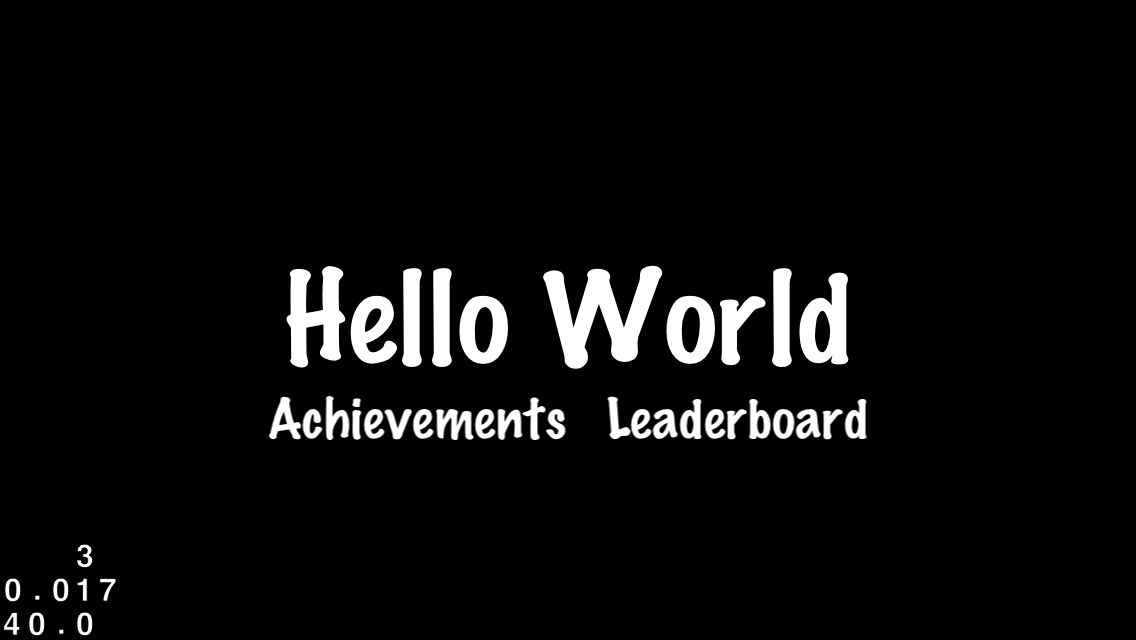
HelloWorld Screenshot

Cocos2D is organized into the concept of “scenes”, which are kind of like “levels” or “screens” for a game. For example you might have a scene for the initial menu for the game, another for the main action of the game, and a game over scene to end. Inside scenes, you can have a number of layers (kind of like in Photoshop), and layers can contain nodes such as sprites, labels, menus, or more. And nodes can contain other nodes as well (i.e. a sprite could have a child sprite inside it).

If you take a look at the sample project, you’ll see there’s just one layer – HelloWorldLayer – and we’re going to start implementing our main gameplay in there. Go ahead and open it up – you’ll see that right now in the init method it’s adding a label that says “Hello World” to the layer. We’re going to take that out, and put a sprite in instead.

Adding A Sprite

Before we can add a sprite, we’ll need some images to work with. You can either create your own, or use the ones my lovely wife has created for the project: a Player image, a Projectile image, and a Target image.

Once you’ve obtained the images, drag them over to the resources folder in XCode, and make sure “Copy items into destination group’s folder (if needed)” is checked.

Now that we have our images, we have to figure out where we want to place the player. Note that in Cocos2D the bottom left corner of the screen has coordinates of (0,0) and the x and y values increase as you move to the upper right. Since this project is in landscape mode, this means that the upper right corner is (480, 320).

Also note that by default when we set the position of an object, the position is relative to the center of the sprite we are adding. So if we wanted our player sprite to be aligned with the left edge of the screen horizontally, and vertically centered:

  • For the x coordinate of the position, we’d set it to [player sprite's width]/2.
  • For the y coordinate of the position, we’d set it to [window height]/2

Here’s a picture that helps illustrate this a bit better:

Screen and Sprite Coordinates

So let’s give it a shot! Open up the Classes folder and click on HelloWorldLayer.m, and replace the init method with the following:

-(id) init
{
  if( (self=[super init] )) {
    CGSize winSize = [[CCDirector sharedDirector] winSize];
    CCSprite *player = [CCSprite spriteWithFile:@"Player.png" 
      rect:CGRectMake(0, 0, 27, 40)];
    player.position = ccp(player.contentSize.width/2, winSize.height/2);
    [self addChild:player];		
  }
  return self;
}

You can compile and run it, and your sprite should appear just fine, but note that the background defaults to black. For this artwork, white would look a lot better. One easy way to set the background of a layer in Cocos2D to a custom color is to use the CCLayerColor class. So let’s give this a shot. Click on HelloWorldLayer.h and change the HelloWorld interface declaration to read as follows:

@interface HelloWorldLayer : CCLayerColor

Then click on HelloWorldLayer.m and make a slight modification to the init method so we can set the background color to white:

if( (self=[super initWithColor:ccc4(255,255,255,255)] )) {

Go ahead and compile and run, and you should see your sprite on top of a white background. w00t our ninja looks ready for action!

Sprite Added Screenshot

Moving Targets

Next we want to add some targets into our scene for our ninja to combat. To make things more interesting, we want the targets to be moving – otherwise there wouldn’t be much of a challenge! So let’s create the targets slightly off screen to the right, and set up an action for them telling them to move to the left.

Add the following method right before the init method:

-(void)addTarget {
 
  CCSprite *target = [CCSprite spriteWithFile:@"Target.png" 
    rect:CGRectMake(0, 0, 27, 40)]; 
 
  // Determine where to spawn the target along the Y axis
  CGSize winSize = [[CCDirector sharedDirector] winSize];
  int minY = target.contentSize.height/2;
  int maxY = winSize.height - target.contentSize.height/2;
  int rangeY = maxY - minY;
  int actualY = (arc4random() % rangeY) + minY;
 
  // Create the target slightly off-screen along the right edge,
  // and along a random position along the Y axis as calculated above
  target.position = ccp(winSize.width + (target.contentSize.width/2), actualY);
  [self addChild:target];
 
  // Determine speed of the target
  int minDuration = 2.0;
  int maxDuration = 4.0;
  int rangeDuration = maxDuration - minDuration;
  int actualDuration = (arc4random() % rangeDuration) + minDuration;
 
  // Create the actions
  id actionMove = [CCMoveTo actionWithDuration:actualDuration 
    position:ccp(-target.contentSize.width/2, actualY)];
  id actionMoveDone = [CCCallFuncN actionWithTarget:self 
    selector:@selector(spriteMoveFinished:)];
  [target runAction:[CCSequence actions:actionMove, actionMoveDone, nil]];
 
}

I’ve spelled out things in a verbose manner here to make things as easy to understand as possible. The first part should make sense based on what we’ve discussed so far: we do some simple calculations to determine where we want to create the object, set the position of the object, and add it to the scene the same way we did for the player sprite.

The new element here is adding actions. Cocos2D provides a lot of extremely handy built-in actions you can use to animate your sprites, such as move actions, jump actions, fade actions, animation actions, and more. Here we use three actions on the target:

  • CCMoveTo: We use the CCMoveTo action to direct the object to move off-screen to the left. Note that we can specify the duration for how long the movement should take, and here we vary the speed randomly from 2-4 seconds.
  • CCCallFuncN: The CCCallFuncN function allows us to specify a callback to occur on our object when the action is performed. We are specifying a callback called “spriteMoveFinished” that we haven’t written yet – more below.
  • CCSequence: The CCSequence action allows us to chain together a sequence of actions that are performed in order, one at a time. This way, we can have the CCMoveTo action perform first, and once it is complete perform the CCCallFuncN action.

Next, add the callback function that we referred to in the CCCallFuncN action. You can add this right before addTarget:

-(void)spriteMoveFinished:(id)sender {
  CCSprite *sprite = (CCSprite *)sender;
  [self removeChild:sprite cleanup:YES];
}

The purpose of this function is to remove the sprite from the scene once it is off-screen. This is important so that we don’t leak memory over time by having tons of unused sprites sitting off-screen. Note that there are other (and better) ways to address this problem such as having reusable arrays of sprites, but for this beginner tutorial we are taking the simple path.

One last thing before we go. We need to actually call the method to create targets! And to make things fun, let’s have targets continuously spawning over time. We can accomplish this in Cocos2D by scheduling a callback function to be periodically called. Once per second should do for this. So add the following call to your init method before you return:

[self schedule:@selector(gameLogic:) interval:1.0];

And then implement the callback function simply as follows:

-(void)gameLogic:(ccTime)dt {
  [self addTarget];
}

That’s it! So now if you compile and run the project, now you should see targets happily moving across the screen:

Targets Screenshot

Shooting Projectiles

At this point, the ninja is just begging for some action – so let’s add shooting! There are many ways we could implement shooting, but for this game we are going to make it so when the user taps the screen, it shoots a projectile from the player in the direction of the tap.

I want to use a CCMoveTo action to implement this to keep things at a beginner level, but in order to use this we have to do a little math. This is because the CCMoveTo requires us to give a destination for the projectile, but we can’t just use the touch point because the touch point represents just the direction to shoot relative to the player. We actually want to keep the bullet moving through the touch point until the bullet goes off-screen.

Here’s a picture that illustrates the matter:

Projectile Triangle

So as you can see, we have a small triangle created by the x and y offset from the origin point to the touch point. We just need to make a big triangle with the same ratio – and we know we want one of the endpoints to be off the screen.

Ok, so onto the code. First we have to enable touches on our layer. Add the following line to your init method:

self.isTouchEnabled = YES;

Since we’ve enabled touches on our layer, we will now receive callbacks on touch events. So let’s implement the ccTouchesEnded method, which is called whenever the user completes a touch, as follows:

- (void)ccTouchesEnded:(NSSet *)touches withEvent:(UIEvent *)event {
 
  // Choose one of the touches to work with
  UITouch *touch = [touches anyObject];
  CGPoint location = [touch locationInView:[touch view]];
  location = [[CCDirector sharedDirector] convertToGL:location];
 
  // Set up initial location of projectile
  CGSize winSize = [[CCDirector sharedDirector] winSize];
  CCSprite *projectile = [CCSprite spriteWithFile:@"Projectile.png" 
    rect:CGRectMake(0, 0, 20, 20)];
  projectile.position = ccp(20, winSize.height/2);
 
  // Determine offset of location to projectile
  int offX = location.x - projectile.position.x;
  int offY = location.y - projectile.position.y;
 
  // Bail out if we are shooting down or backwards
  if (offX <= 0) return;
 
  // Ok to add now - we've double checked position
  [self addChild:projectile];
 
  // Determine where we wish to shoot the projectile to
  int realX = winSize.width + (projectile.contentSize.width/2);
  float ratio = (float) offY / (float) offX;
  int realY = (realX * ratio) + projectile.position.y;
  CGPoint realDest = ccp(realX, realY);
 
  // Determine the length of how far we're shooting
  int offRealX = realX - projectile.position.x;
  int offRealY = realY - projectile.position.y;
  float length = sqrtf((offRealX*offRealX)+(offRealY*offRealY));
  float velocity = 480/1; // 480pixels/1sec
  float realMoveDuration = length/velocity;
 
  // Move projectile to actual endpoint
  [projectile runAction:[CCSequence actions:
    [CCMoveTo actionWithDuration:realMoveDuration position:realDest],
    [CCCallFuncN actionWithTarget:self selector:@selector(spriteMoveFinished:)],
    nil]];
 
}

In the first portion, we choose one of the touches to work with, get the location in the current view, then call convertToGL to convert the coordinates to our current layout. This is important to do since we are in landscape mode.

Next we load up the projectile sprite and set the initial position as usual. We then determine where we wish to move the projectile to, using the vector between the player and the touch as a guide, according to the algorithm described previously.

Note that the algorithm isn’t ideal. We’re forcing the bullet to keep moving until it reaches the offscreen X position – even if we would have gone offscreen in the Y position first! There are various ways to address this including checking for the shortest length to go offscreen, having our game logic callback check for offscreen projectiles and removing rather than using the callback method, etc. but for this beginner tutorial we’ll keep it as-is.

The last thing we have to do is determine the duration for the movement. We want the bullet to be shot at a constant rate despite the direction of the shot, so again we have to do a little math. We can figure out how far we’re moving by using the Pythagorean Theorem. Remember from geometry, that is the rule that says the length of the hypotenuse of a triangle is equal to the square root of the sum of the squares of the two sides.

Once we have the distance, we just divide that by the velocity in order to get the duration. This is because velocity = distance over time, or in other words time = distance over velocity.

The rest is setting the actions just like we did for the targets. Compile and run, and now your ninja should be able to fire away at the oncoming hordes!

Projectiles Screenshot

Collision Detection

So now we have shurikens flying everywhere – but what our ninja really wants to do is to lay some smack down. So let’s add in some code to detect when our projectiles intersect our targets.

There are various ways to solve this with Cocos2D, including using one of the included physics libraries: Box2D or Chipmunk. However to keep things simple, we are going to implement simple collision detection ourselves.

To do this, we first need to keep better track of the targets and projectiles currently in the scene. Add the following to your HelloWorldLayer class declaration:

NSMutableArray *_targets;
NSMutableArray *_projectiles;

And initialize the arrays in your init method:

_targets = [[NSMutableArray alloc] init];
_projectiles = [[NSMutableArray alloc] init];

And while we’re thinking of it, clean up the memory in your dealloc method:

[_targets release];
_targets = nil;
[_projectiles release];
_projectiles = nil;

Now, modify your addTarget method to add the new target to the targets array and set a tag for future use:

target.tag = 1;
[_targets addObject:target];

And modify your ccTouchesEnded method to add the new projectile to the projectiles array and set a tag for future use:

projectile.tag = 2;
[_projectiles addObject:projectile];

Finally, modify your spriteMoveFinished method to remove the sprite from the appropriate array based on the tag:

if (sprite.tag == 1) { // target
  [_targets removeObject:sprite];
} else if (sprite.tag == 2) { // projectile
  [_projectiles removeObject:sprite];
}

Compile and run the project to make sure everything is still working OK. There should be no noticeable difference at this point, but now we have the bookkeeping we need to implement some collision detection.

Now add the following method to HelloWorldLayer:

- (void)update:(ccTime)dt {
 
  NSMutableArray *projectilesToDelete = [[NSMutableArray alloc] init];
  for (CCSprite *projectile in _projectiles) {
    CGRect projectileRect = CGRectMake(
      projectile.position.x - (projectile.contentSize.width/2), 
      projectile.position.y - (projectile.contentSize.height/2), 
      projectile.contentSize.width, 
      projectile.contentSize.height);
 
    NSMutableArray *targetsToDelete = [[NSMutableArray alloc] init];
    for (CCSprite *target in _targets) {
      CGRect targetRect = CGRectMake(
        target.position.x - (target.contentSize.width/2), 
        target.position.y - (target.contentSize.height/2), 
        target.contentSize.width, 
        target.contentSize.height);
 
      if (CGRectIntersectsRect(projectileRect, targetRect)) {
        [targetsToDelete addObject:target];				
      }						
    }
 
    for (CCSprite *target in targetsToDelete) {
      [_targets removeObject:target];
      [self removeChild:target cleanup:YES];									
    }
 
    if (targetsToDelete.count > 0) {
      [projectilesToDelete addObject:projectile];
    }
    [targetsToDelete release];
  }
 
  for (CCSprite *projectile in projectilesToDelete) {
    [_projectiles removeObject:projectile];
    [self removeChild:projectile cleanup:YES];
  }
  [projectilesToDelete release];
}

The above should be pretty clear. We just iterate through our projectiles and targets, creating rectangles corresponding to their bounding boxes, and use CGRectIntersectsRect to check for intersections. If any are found, we remove them from the scene and from the arrays. Note that we have to add the objects to a “toDelete” array because you can’t remove an object from an array while you are iterating through it. Again, there are more optimal ways to implement this kind of thing, but I am going for the simple approach.

You just need one more thing before you’re ready to roll – schedule this method to run as often as possible by adding the following line to your init method:

[self schedule:@selector(update:)];

Give it a compile and run, and now when your projectiles intersect targets they should disappear!

Finishing Touches

We’re pretty close to having a workable (but extremely simple) game now. We just need to add some sound effects and music (since what kind of game doesn’t have sound!) and some simple game logic.

If you’ve been following my blog series on audio programming for the iPhone, you’ll be extremely pleased to hear how simple the Cocos2D developers have made it to play basic sound effects in your game.

First, drag some background music and a shooting sound effect into your resources folder. Feel free to use the cool background music I made or my awesome pew-pew sound effect, or make your own.

Then, add the following import to the top of your HelloWorldLayer.m:

#import "SimpleAudioEngine.h"

In your init method, start up the background music as follows:

[[SimpleAudioEngine sharedEngine] playBackgroundMusic:@"background-music-aac.caf"];

And in your ccTouchesEnded method play the sound effect as follows:

[[SimpleAudioEngine sharedEngine] playEffect:@"pew-pew-lei.caf"];

Now, let’s create a new scene that will serve as our “You Win” or “You Lose” indicator. Click on the Classes folder and go to File\New File, and choose Objective-C class, and make sure subclass of NSObject is selected. Click Next, then type in GameOverScene as the filename, and make sure “Also create GameOverScene.h” is checked.

Then replace GameOverScene.h with the following code:

#import "cocos2d.h"
 
@interface GameOverLayer : CCLayerColor {
  CCLabelTTF *_label;
}
@property (nonatomic, retain) CCLabelTTF *label;
@end
 
@interface GameOverScene : CCScene {
  GameOverLayer *_layer;
}
@property (nonatomic, retain) GameOverLayer *layer;
@end

Then replace GameOverScene.m with the following code:

#import "GameOverScene.h"
#import "HelloWorldLayer.h"
 
@implementation GameOverScene
@synthesize layer = _layer;
 
- (id)init {
 
  if ((self = [super init])) {
    self.layer = [GameOverLayer node];
    [self addChild:_layer];
  }
  return self;
}
 
- (void)dealloc {
  [_layer release];
  _layer = nil;
  [super dealloc];
}
 
@end
 
@implementation GameOverLayer
@synthesize label = _label;
 
-(id) init
{
  if( (self=[super initWithColor:ccc4(255,255,255,255)] )) {
 
    CGSize winSize = [[CCDirector sharedDirector] winSize];
    self.label = [CCLabelTTF labelWithString:@"" fontName:@"Arial" fontSize:32];
    _label.color = ccc3(0,0,0);
    _label.position = ccp(winSize.width/2, winSize.height/2);
    [self addChild:_label];
 
    [self runAction:[CCSequence actions:
      [CCDelayTime actionWithDuration:3],
      [CCCallFunc actionWithTarget:self selector:@selector(gameOverDone)],
      nil]];
 
  }	
  return self;
}
 
- (void)gameOverDone {
 
  [[CCDirector sharedDirector] replaceScene:[HelloWorldLayer scene]];
 
}
 
- (void)dealloc {
  [_label release];
  _label = nil;
  [super dealloc];
}
 
@end

Note that there are two different objects here: a scene and a layer. The scene can contain any number of layers, however in this example it just has one. The layer just puts a label in the middle of the screen, and schedules a transition to occur 3 seconds in the future back to the Hello World scene.

Finally, let’s add some extremely basic game logic. First, let’s keep track of the projectiles the player has destroyed. Add a member variable to your HelloWorldLayer class in HelloWorldLayer.h as follows:

int _projectilesDestroyed;

Inside HelloWorldLayer.m, add an import for the GameOverScene class:

#import "GameOverScene.h"

Increment the count and check for the win condition in your update method inside the targetsToDelete loop right after removeChild:target:

_projectilesDestroyed++;
if (_projectilesDestroyed > 30) {
  GameOverScene *gameOverScene = [GameOverScene node];
  _projectilesDestroyed = 0;
  [gameOverScene.layer.label setString:@"You Win!"];
  [[CCDirector sharedDirector] replaceScene:gameOverScene];
}

And finally let’s make it so that if even one target gets by, you lose. Modify the spriteMoveFinished method by adding the following code inside the tag == 1 case right after removeChild:sprite:

GameOverScene *gameOverScene = [GameOverScene node];
[gameOverScene.layer.label setString:@"You Lose :["];
[[CCDirector sharedDirector] replaceScene:gameOverScene];

Go ahead and give it a compile and run, and you should now have win and lose conditions and see a game over scene when appropriate!

Gimme The Code!

And that’s a wrap! Here’s the full code for the simple Cocos2D iPhone game that we developed thus far.

Where To Go From Here?

This project could be a nice basis for playing around some more with Cocos2D by adding some new features into the project. Maybe try adding in a bar chart to show how many more targets you have to destroy before you win (check out the drawPrimitivesTest sample project for examples of how to do that). Maybe add cooler death animations for when the monsters are destroyed (see ActionsTest, EffectsTest, and EffectsAdvancedTest projects for that). Maybe add more sounds, artwork, or gameplay logic just for fun. The sky’s the limit!

If you want to keep going with this tutorial series, check out part two, How To Add A Rotating Turret, or part three, Harder Monsters and More Levels!

Also, if you’d like to keep learning more about Cocos2D, check out my tutorials on how to create buttons in Cocos2D, intro to Box2D, or how to create a simple Breakout game.

Feel free to chime in if you know of any better ways to do various things with this project or if there are any problems – like I said this is the first time I’ve played with Cocos2D so I have a lot left to learn!


Category: iPhone

Tags: , , , , ,

338 Comments

  1. Danil (1 comments) says:

    Hi. Thanks for this tutor. Very interesting article.

  2. Greg Pyles (1 comments) says:

    This is the clearest explanation of getting started with cocos2d I have seen.

    Thanks!

  3. JD@maniacdev (1 comments) says:

    Great job Ray, you’ve covered most the basics here. I wish you had this out before. Only thing I can think of that people always ask about that isn’t covered here is a little more on using multi-touch.

    Bookmarked.

  4. Ed Maurina (1 comments) says:

    Ray, Thanks a ton for this article/example. I’ve been programming for a long time, but the iPhone is a new platform for me and it really helps one’s confidence to quickly and easily get a simple game/program up and running with minimal muss and fuss.

    Keep up the good work and thanks again!

    -Ed

  5. joe (7 comments) says:

    Thanks for the tutorial…. the best of it’s kind on the web. It’s good to go from the beginning of a cocos until the end. The cocos community thanks you!

  6. Amber (1 comments) says:

    Thank you so much for putting this tutorial together! You did a great job explaining everything and have made learning a new language just a bit easier. Thanks again!

  7. Neantis (1 comments) says:

    Thank you for this tutorial, very interesting and instructive !!

    Thanks again

  8. K-CI (1 comments) says:

    Thanks. It’s really helpful!!

  9. Ray Wenderlich (874 comments) says:

    Wow thanks everybody, glad it was useful! :]

  10. Alex (1 comments) says:

    Hi. Thanks for article.

  11. Aiken (1 comments) says:

    That’s great! Thank you for your tutorial. :)

  12. Eric (15 comments) says:

    Very good tutorial, thank you !!

    A little mistake: when you define the bounding box of the target, you use the width and height of the projectile.

  13. Ray Wenderlich (874 comments) says:

    Nice catch Eric! I’ve updated the post and sample project to fix that. Thanks!

  14. dejo (4 comments) says:

    Thanks for this tutorial! Much appreciated.

    Just a note: the pew-pew sound effect doesn’t play when running the app in the Simulator under OS 3.0. 3.1+ seems to be fine though.

  15. Ray Wenderlich (874 comments) says:

    @dejo – Hm that is strange, just gave it a try over here and the pew-pew sound plays ok on the 3.0 Simulator for me. Anyone have any idea what the problem could be here?

  16. Muller (1 comments) says:

    Bravo, Ray! I was getting pretty frustrated with iPhone game development in general and this made things a heck of a lot more clearer. Thank you and keep ‘em coming!

  17. Kim (4 comments) says:

    You mentioned a few times of “simple” implementations. Can you elaborate more on the “complex” implementation. I’d be interested in seeing how to use Box2d(?) to handle collision detection. Your example used “CGRectIntersectsRect”.

  18. Ray Wenderlich (874 comments) says:

    @Muller – great, best of luck with your game!

    @Kim – That sounds like a great idea for a future post! :]

  19. Ray Wenderlich (874 comments) says:

    Nice, thanks for the heads up Bas. If I have time I’ll update this tutorial for the 0.99 final release.

    Edit: updated! Thanks again! :]

  20. dejo (4 comments) says:

    Ray, I am also finding that, if I comment out the call the start the background music, then when the first pew-pew needs to be played, the whole app stalls momentarily before it plays. (I’m guessing this is because there is some setup involved the first time a sound is played). Any suggestions?

  21. Ray Wenderlich (874 comments) says:

    Yes, the first time you use the SimpleSoundEngine it initializes itself, which can take a while. One solution is to use a function called preloadEffect that lets you load your sound effects into memory before you use them:

    [[SimpleAudioEngine sharedEngine] preloadEffect:@”pew-pew-lei.caf”];

    You would put that in your init method. Since this is the first use of SimpleAudioEngine, it will initialize it as well as loading your effects, so no stutter!

    In a real game, you’d have a loading screen that would display while time intensive functions like this are called.

  22. dejo (4 comments) says:

    Ray, thanks. That helps.

    (Sorry to be such a PITA but here I go again…)

    Next issue: The background music doesn’t seem to endlessly loop and only plays once. A bug perhaps?

  23. Ray Wenderlich (874 comments) says:

    Hm that is strange, it repeats OK for me. You’re using version 0.99 (rc or final) right?

    There’s another version of playBackgroundMusic you can call to specify whether or not to loop the music:

    [[SimpleAudioEngine sharedEngine] playBackgroundMusic:@”background-music-aac.caf” loop:TRUE];

    However in 0.99 the default is to loop, so I’m not sure why it isn’t looping for you…

  24. doctorhsly (1 comments) says:

    nice article!

  25. dejo (4 comments) says:

    Yes, I’m using version 0.99 final.

    I tried using loop:TRUE but to no effect.

    (I’m running the iPhone SDK 3.1.3 under Snow Leopard).

  26. Ray Wenderlich (874 comments) says:

    Hm – then I’m not sure!

  27. paddoum (1 comments) says:

    It’s a great tutorial! It helped me a lot understanding Cocoa2D.
    Thanks!
    P.

  28. woggles (1 comments) says:

    This is an amazing tutorial. Thanks so much!

  29. Eric (15 comments) says:

    Another little mistake, you should add the projectile to the scene after the test (line 186) :
    // Bail out if we are shooting down or backwards
    if (offX <= 0) return;

    is successful, otherwise the projectile is added and stays in place unnecessarily until the end.

    I've compiled the game on my iPod and it's already fun to play. I've added a rotation movement to the projectile and it's really easy.

    The background music works just fine on the device but as mentioned before, it doesn't endlessly loop in the simulator, so maybe the simulator is the problem ?

  30. Eric (15 comments) says:

    I’ve just had a look on Cocos2D site, the problem of background music in the simulator is mentioned in this FAQ :
    http://www.cocos2d-iphone.org/wiki/doku.php/cocosdenshion:faq#background_music_seems_unreliable_in_the_simulator

  31. Ray Wenderlich (874 comments) says:

    @dejo – Aha! I’ve finally reproduced and found out a fix for the background music stopping problem that you mentioned.

    It turns out it works fine in 0.99-rc, but not in 0.99-final. I think a minor bug was introduced in 0.99-final, but I was able to get it working by adding the following code at line 72 of CDAudioManager.m (under cocos2d Sources/CocosDenshion):

    - (void)setNumberOfLoops:(NSInteger)theNumberOfLoops {
        numberOfLoops = theNumberOfLoops;
        audioSourcePlayer.numberOfLoops = theNumberOfLoops;
    }
    

    I’ll let the cocos2D guys know about this in case this is a bug – but this workaround should get you by in the meantime. I’ve updated the sample code with the workaround and mentioned this issue in the post as well. Thanks for letting me know about this!

    @eric – Another great catch, thanks again! Post and sample code updated with the fix.

  32. indy (37 comments) says:

    Thanks for the tutorial…much as I like the sound effect, others may like this link f0r some 8 bit sounds ;-) http://thirdcog.eu/apps/cfxr

  33. Stan Gilbert (1 comments) says:

    I simply cannot thank you enough for this well structured and clear example. I have been tearing my hair out trying to get a foothold to do an iphone game for a client. This was all I needed after looking at so many frameworks.

    I’ve been programming for over 30 years!!!

    Many thanks!

  34. Ray Wenderlich (874 comments) says:

    Hey thanks Indy, I hadn’t seen that before, quite awesome!

    And I’m glad it came in handy Stan, best of luck on the game! :]

  35. indy (37 comments) says:

    Hi,

    Bit of fun….made the sprite fade out on hit:

    In update()

    // We have processed all the targets for this single projectile and so can remove from the
    // _targets array, as this will mean one less target to check for the remaining projectiles
    for (CCSprite *target in targetsToDelete) {
    [_targets removeObject:target];
    // stop the target moving or else despite it fading, it will still be moving to the left and could
    // go off screen to trigger game over
    [target stopAllActions];

    // chain two actions together, one a fade action and then call a function to remove the target sprite
    id disappear = [CCFadeTo actionWithDuration:.5 opacity:0];
    id actionMoveDone = [CCCallFuncN actionWithTarget:self selector:@selector(targetHit:)];
    [target runAction:[CCSequence actions:disappear, actionMoveDone, nil]];

    //[self removeChild:target cleanup:YES];
    _projectilesDestroyed++;
    _projectilesDestroyed++;
    if (_projectilesDestroyed > 30) {
    GameOverScene *gameOverScene = [GameOverScene node];
    [gameOverScene.layer.label setString:@"You Win!"];
    [[CCDirector sharedDirector] replaceScene:gameOverScene];
    }
    }

    And created a new method which is called when the target is hit:

    -(void) targetHit:(id) sender {
    CCSprite *sprite = (CCSprite *) sender;
    [self removeChild:sprite cleanup:YES];

    }

  36. David (11 comments) says:

    I’ve been playing around with cocos2d now and then in my free time since 0.73, but I still found this article entertaining and quite useful. Very well done!

    On a side note, after spending a few minutes clicking through your other posts it was an easy decision to add you to my google reader feed :)

  37. iDea Digital (2 comments) says:

    Thank’s you so much!

  38. kevenqu (1 comments) says:

    Thanks for your great work!
    I thought this should be the ‘DEFAULT’ cocos2d demo.Definitely!

  39. Patrick (2 comments) says:

    This is a great tutorial! Thanks for sharing it.

  40. Rob (5 comments) says:

    Great tutorial. Best intro to Cocos2d I’ve found. Thanks.

  41. Bob Dronski (1 comments) says:

    It feels like Stan Gilbert was in my head! I’ve been a freelance programmer since 1983. I’ve also spent the last week agonizing over how to get my head around graphic programming for the iPhone.

    I’ve learned more in the last hour than in the last 2 days. All I can say is thanks.

  42. wojo_e-viewer (1 comments) says:

    Great and interesting tutorial. I will make my next iPhone game with cocos2d. It’s really good engine.

  43. Kyle (5 comments) says:

    Thanks sooooooo much for the tutorial. This is the best iphone game tutorial for beginner =] .

  44. Alvin (1 comments) says:

    Great tutorial! I was looking for a clear and easy way to begin coding Cocos2d games and this tutorial really helps. You’ve saved me a lot of frustration!

  45. Khrob (2 comments) says:

    Anyone else getting a

    “HelloWorldScene may not respond to ‘+schedule:interval:’” warning when adding the sheduled event to call addTarget?

    I’ve probably just typed something incorrectly somewhere above it, but hey :)

    Great tute!

  46. Khrob (2 comments) says:

    oh good. I was adding it to +(id)init rather than -(id)init.

    ‘scuse my sillyness!

  47. king (2 comments) says:

    Thanks for the tutorial,Ray. I am wondering if you can give us a tutorial about linking two classes. For example, instead of adding targets directly in the GameScene, could you implement an enemy class.

  48. Ray Wenderlich (874 comments) says:

    @Indy: Very cool!

    @King: That sounds like a good idea! Maybe I can incorporate that into a future tutorial, I’ve added that to my post idea list.

    @Everyone else: Thanks much for the encouraging and kind words! :]

  49. Solivagant (2 comments) says:

    I’ve skimmed through this and it looks great. As soon as I get my hands on XCode I’ll run through your tutorial. I was looking for something like this, Cocos2d tutorials are very fragmented!

  50. Jesse (3 comments) says:

    Learn a lot from your passage. Thanks!
    Everything is clear.

  51. Francis Lukesh (1 comments) says:

    Excellent tutorial, thanks! One question though–you are incrementing _projectilesDestroyed twice in the update:(ccTime)dt method…is that just accidental?

  52. Ray Wenderlich (874 comments) says:

    Oops! Good catch Francis, that was a typo on the web page (but luckily not in the sample project). I fixed it, thanks!

  53. Jason Elbourne (1 comments) says:

    Like the tutorial. Was woundering if you could do a part 2 with some extras. My main question would be how we can rotate the player to match the direction you are firing. I know it doesn’t look right with this image but would be a good tutorial as most games do this at a minimum.

    I you dont feel like doing a full tutorial then if you could email me about this.

  54. Ray Wenderlich (874 comments) says:

    @Jason – That sounds like a great idea for a future tutorial – I’ve added it to my idea list!

  55. Solivagant (2 comments) says:

    I finally had a chance to plug the code into the compiler and give it a try. It’s pretty good, Actions look very useful!
    Noticed that you get a Game Over screen if one of the projectiles goes offscreen without hitting a target. It’s fixable with a simple check of the sprite’s tag, to call the game over screen only when it is a target.

    Now it’s time to look at your Box2d tutorial!

  56. Ray Wenderlich (874 comments) says:

    @Solivagant – Yes actions are one of the coolest things about Cocos2D imho!

    Regarding the tag check, I actually mentioned that in the tutorial, but I can see that it might not have been very clear since it was at the tail end of a paragraph. I went back and bolded it to hopefully make it more clear, thanks! :]

  57. David Kay (1 comments) says:

    All I can say is thank you Ray. This tutorial was wonderful and sparked hope as many others have pointed out in a lackluster area of cocos2D (examples). Going to “suggest” to the Cocos team to make this the default Cocos2D default app :P.

    p.s. keep up the wonderful work with the tutorials!!

  58. Khuram (2 comments) says:

    Hello!! thanks a lot ray for such a wonderful tutorial. I want to increase the difficulty of the game like removing the target after 3 or 4 collisions. I wonder if you could help to solve this out. thanks.

  59. Tomas (1 comments) says:

    Hi!

    One more person to join the thanks list! Great work and keep it up!

    I have a question more of an Obj-C nature – you write that you can’t remove elements from array while iterating – but then after finishing the collision detection loop you iterate through the …toDelete arrays to remove the elements, so can you? can’t you? what’s the rule? – I know it’s not directly game dev related but rather language but I’d be grateful if you could clear it out – the rest is perfect and looking forward to going through the rest of your materials.

    Once again thanks for introducing me to Cocos2d!

  60. robert (3 comments) says:

    Hi Ray,

    Awesome straight forward tutorial – the best I have seen for cocos2d!! Thanks!!!!!

    I would also like to echo interest in a have a “part 2 tutorial” with some extras. I think adding a simple main menu, basic score system (maybe with a simple leaderboard), second level with increased difficulty (scene 2) and rotate the player to match the direction you are firing (as suggested by Jason E) would make this a killer followup tutorial.

    All the best! Keep the tutorials coming!

  61. Michael (11 comments) says:

    Ray, you are my hero. :)

  62. Ray Wenderlich (874 comments) says:

    @Tomas – Ah yes good question! The trick is you can’t remove an element from an array while you are iterating through that array. Note that when we iterate through the xxToDelete arrays we aren’t removing items from the xxToDelete arrays – we are removing them from the other arrays (targets and projectiles) or the scene itself, which is OK.

    @Khuram, @robert – Great ideas! I’ve written these ideas down for a potential sequel to this post. Thanks guys!

  63. Jaye Whitmire (2 comments) says:

    Thanks so much! This is exactly the speed I needed since I’m a complete newb to gaming (writing games anyway). Most tutorials I’ve seen assumed I knew way too much. This has helped a bunch!

  64. Khuram (2 comments) says:

    Ray!!!!!! you are my Hero too… thank you sooo.. much for every single tutorial. God bless you.

  65. Joseph Neuman (8 comments) says:

    Ray, i know this is a strange question but i dont just want to do it. i wanna make a game kinda similar to this and i wanna know if its okay with you if a use some of the code from this in my game?

    also, any suggestions on where t learn about coding AI for this?

    thanks,
    Joseph

  66. Ray Wenderlich (874 comments) says:

    @Joseph – Yeah definitely, go for it! Best of luck on your game! :]

    Re: AI coding – haven’t looked into this myself. But if you find anything cool or useful let me know! :]

  67. Joseph Neuman (8 comments) says:

    Thank you, by the way, i am having trouble creating a new page with the Box2D to go from a menu to the first level of a game.

    - (void)PlayButtonTapped:(id)sender {
    [_label setString:@"Last Button: Play"];
    Level1 *level1 = [Level1 node];
    [[CCDirector sharedDirector] replaceScene:level1];
    }

    thats in helloworldscene.mm

    #import “cocos2d.h”
    #import “Box2D.h”

    @interface Level1 : CCColorLayer {

    }

    @end

    @interface Level1Scene : CCScene {
    Level1 *_layer;
    }
    @property (nonatomic, retain) Level1 *layer;
    @end

    thats in Level1.h

    #import “Level1.h”

    @implementation Level1

    +(id) scene
    {
    // ‘scene’ is an autorelease object.
    CCScene *scene = [CCScene node];

    // ‘layer’ is an autorelease object.
    Level1 *layer = [Level1 node];

    // add layer as a child to scene
    [scene addChild: layer];

    // return the scene
    return scene;
    }

    -(id) init
    {
    // always call “super” init
    // Apple recommends to re-assign “self” with the “super” return value
    if( (self=[super initWithColor:ccc4(255,255,255,255)] )) {
    // ask director the the window size
    CGSize winSize = [[CCDirector sharedDirector] winSize];

    }
    return self;
    }
    @end
    and thats in Level1.mm

    any suggestions?

  68. Joseph Neuman (8 comments) says:

    i kind of figured things out, all i really had to do was copy the gameOverScene files and change it to a .mm and it worked, as strange as it sounds

  69. Julian (4 comments) says:

    I love you, i simply love you… oh my god, you are so fucking great! Mega-exelent tutorial, i never see a more cleaver, simply and understandable tutorial like this…. you deserve to work in app develop program. i hope the best, thanks for be so great and share with us your knowledge.

  70. Jimmy (2 comments) says:

    nice work <3

  71. Steve (12 comments) says:

    After completing the tutorial and successfully running the game I have noticed that the animation of the “Target” sprites and “Projectile” sprites is not consistently smooth.

    They both move across the screen smoothly at first, but then every 2 or 3 seconds there is a noticeable jerk to their movement. They seem to jerk forwards and then backwards rapidly as they are traveling across the screen. Somewhat like a stutter-step movement.

    In addition, every time a Projectile collides with a Target this same stutter-step jerk movement occurs with everything that is moving across the screen.

    At first I thought maybe this was just happening in the iPhone simulator, but when I tested the Game on my iPod Touch device, it does the exact same thing.

    Why is this happening??

    I have noticed this same type of jerky stutter movement on the “official” Cocos2D Demo videos that are posted on YouTube.

    In complete contrast, is the newly released iPhone game called “Zombie Smash”! I have watched demo videos of this game (which uses Cocos2D and Chipmunk) and I have not noticed any jerkiness or stuttering to the game’s movement. It just looks perfectly smooth, like it should be..

    That game is MANY orders of magnitude more complex than the game in this tutorial, so why does the tutorial game produce such non-smooth, jerky movement? And why do the Coco2D demos show the same bad looking motion?

  72. Steve (12 comments) says:

    I just found the solution to the problem!!

    Under “Active Configuration” in Xcode (from the drop down on upper left of screen), you need to check “Release” and make sure “Debug” is NOT checked. I had Debug checked, and this must be generating a bunch of debug statements on the fly in a similar manner to having “trace” statements enabled when you compile a Flash project (which will make your Flash game slow to a crawl).

    After making this change, recompiling and testing on my IPod Touch the tutorial game runs PERFECTLY SMOOTH now!! Yeay!! It even runs smooth with a 480 x 320 backdrop jpg image and a 480 x 320 overlay image. And with the double full screen jpg images it stays in the 50 to 60 FPS range! My God, this is wonderful! lol I am now officially impressed by Cocos2D!!! Wow, this makes me so happy :):):)

    In comparison with DEBUG checked using my double full screen jpg files I was getting 20 to 30 FPS plus the jerky stuttering movement.

  73. Vivian Aranha (1 comments) says:

    Thanks Ray, your tutorial was very helpful for me to make my Take a Dump App.

    Thanks again

  74. Jason (19 comments) says:

    Fantastic tutorial! You have made my day with the knowledge that there are more of your great tutorials for me to read. Thank you.

    One general question:

    What is the purpose/benefit of the extra layer of abstraction created by declaring a “_label” variable and then declaring a property for “label” (thereby creating a getter and setter for “label”) and setting label = _label in the synthesize statement?

  75. RamKRishna Pattnayak (1 comments) says:

    Hi
    I want to draw a path by help of touch and projectile will move on that path only ,if on that path enemy came then they will collide or projectile will move straight from that end point.can it be possible.how i draw the path by help of finger , sprit will draw and also refer that path for movement.can you answer me.
    thanks

  76. Ray Wenderlich (874 comments) says:

    @Jason – Rather than not using properties at all and just using member variables, you mean?

    Personally I often find it easier to use properties rather than direct member variables so that it takes care of the memory management for me and I don’t constantly have to be remembering what kind of behavior I want for a member variable. I find that when I handle the memory management myself, I’m more likely to make forgetful mistakes.

    So generally I like to use properties for setting variables (self.foo = xxx) and for releasing variables (self.foo = nil) but use the raw member variable for read access. I like naming the member variable with an underscore so I instantly know what I’m using at a glance.

    Different programmers use different methods though, so really it’s just whatever works for you as long as everything cleans up in the end :]

    @Ram: I haven’t really looked into this myself, but my first thoughts would be that you need to track the points at which the finger moves in an array, and then have a custom draw method to make a nice display for the line connecting the points. Then in your game logic, you can periodically move the sprite to the next section of the line. If there is a collision, you can clear out the stored points and change the behavior however you want. Sounds like a fun project!

  77. Thomas C. (3 comments) says:

    Thanks for this tutorial, nicely done!

    Unless I’m missing it, you neglected to mention that the needs to be added to HelloWorldScene in order to receive the touch events first introduced with the projectile.

  78. Ray Wenderlich (874 comments) says:

    @Thomas – I feel like a word is missing in your sentence above in “that the needs to be added to HelloWorldScene”… what needs to be added?

  79. Thomas C. (3 comments) says:

    Oops, yes, sorry. I think you neglected to indicate that the was required to get to the ccTouchesEnded method to fire.

  80. Astri (2 comments) says:

    Thanks Ray. A really helpful tutorial :-)

  81. Thomas C. (3 comments) says:

    Gosh this is mangling what I write when I use brackets, missing word after ‘that the’ is CCTargetedTouchDelegate

  82. Johnson (1 comments) says:

    thanks ray .

  83. Raizor (2 comments) says:

    Great article! Just what I needed to get me started, thank you :)

  84. Swift (2 comments) says:

    Hi Ray,

    Great tutorial!!

    Quick question, how would you detect collision between the player and a target?

    I can’t seem to get the intersectsrect to work :/

  85. Kyy Timo (1 comments) says:

    Greetings from Finland! Thank you for your wonderful tutorials. Definitely the best way to learn cocos2d! You’re the best!

  86. simon (6 comments) says:

    hello,
    awesome tutorial! quick question, what is the best way to call this game from a tableview tabbar nav controller? (i.e. button that would take user to the game)
    thanks, Simon

  87. Saliom (16 comments) says:

    Hi Ray =) i’ve got one question for you about collision detection using CGRect like you do, how can you detect that two sprites are in collision when they are rectangles and that one of them has been rotated?? i can’t figure out the way to transform the CGRect so it’s at the same place as the rotated sprite… any idea? xD

    thanks in advance :) you and your tutorials rock!! xD

  88. Ray Wenderlich (874 comments) says:

    @Swift: You should be able to check for collisions between any objects (including player and target) with a similar method of checking for rectangle intersection like we did for the projectiles and monsters.

    @simon: One way is to add the top level view controller to the CCDirector window as a subview with code like the following:

    [[[[CCDirector sharedDirector] openGLView] window] addSubview: XXXXX];
    

    And then remove the top level view controller from its superview when you’re ready to start the Cocos2D scenes.

    @Saliom: You can use this method to run a transform on the rect according to the rotation, etc. (see CCNode::boundingBox for an example):

    GRectApplyAffineTransform(rect, [self nodeToParentTransform]);
    
  89. Saliom (16 comments) says:

    huhu cool, i looked about a rotation in a CGRect but didn’t think about a transform, very big thanks Ray ;)

  90. Martijn (1 comments) says:

    Thanks a lot! Your tutorials are very clear and helpful!

  91. Zhangxi (1 comments) says:

    Thanks. it is useful and easy to understand.

  92. SQuat (1 comments) says:

    Thanks a lot !
    I was looking for this “Cocos2d for dummies” tutorial for 2 days!

    Thanks again! ;p

  93. Barry (4 comments) says:

    Hey first i want to say thanks a lot for the tutorial, it’s been a great help :)

    I am having a problem when i run the program with the targets coming across the screen…. every few seconds they will stutter … not moving smoothly all the time… there is another comment above about the same problem and he says that he found a solution of setting the active config to release instead of debug, however this solution is not working for me i wonder if you would have any idea what the problem might be? Anybody else having a similar problem?

    I would really appreciate your help!!

    Thanks again for the great tutorials hope to see more :)

  94. Atman (1 comments) says:

    Hello Ray! Thanks for this amazing tutorial but i have one question. Why do you need an array to track the projectiles and the targets, can you just have a

    if(CGRectIntersectsRect[x rect],[y rect])
    {
    //DO STUFF HERE
    }

  95. 11clock (2 comments) says:

    I love this tutorial! I just don’t get one part.

    “Add the following to your HelloWorldScene class declaration:”

    Where’s the class declaration?

  96. 11clock (2 comments) says:

    Nevermind. I looked at the finished project and figured everything out. I may make a game out of this! Thanks for the help!

  97. Ray Wenderlich (874 comments) says:

    @Barry: When you have slowdown effects like that with Cocos2D, I usually like to check the following “low hanging fruit”:

    – Make sure there are as few object allocations in the “critical path” as possible – things run much more smoothly if you allocate your objects in advance.
    – Make sure there are no NSLog statements – they are slow.
    – Make sure you’re using sprite sheets instead of regular sprites (see my Use Box2D For Just Collision Detection tutorial for info on that).
    – Make sure you preload sound effects and textures.
    – If all else fails, try profiling the code to see where the performance issue is!

    @Atman: Do you mean why do we need to have the “projectilesToDelete” array etc? The reason for that is you can’t modify an array (such as by removing elements from it) while you are iterating through that array.

  98. William (6 comments) says:

    Ray, I love your tutorials! I noticed in the latest release of Cocos2d-iphone that they changed the name of the script to install templates. I think it’s install-templates.sh now. Thought it was worth a comment since this is such a popular place to start learning cocos2d.

  99. Gregory (2 comments) says:

    @Ray Wenderlich
    “Do you mean why do we need to have the “projectilesToDelete” array etc? The reason for that is you can’t modify an array (such as by removing elements from it) while you are iterating through that array.”

    I do not agree. We can delete objects from array if we do iterating from the end of array. Then we are sure that index never will get out of size of the array

  100. Ray Wenderlich (874 comments) says:

    @William: Cool, thanks for the heads up!

    @Gregory: Good point. I suppose I should have clarified that by saying “you can’t modify an array (such as by removing elements from it) while you are it iterating through that array while using fast enumeration syntax (i.e. for (CCSprite *projectile in projectiles).

    Trying to modify an array while using fast enumeration syntax will result in an NSGenericException. However you are right that I could have rewritten the loop to go through it backwards, which would allow removing elements while going through:

    for(int i = projectiles.count-1; i >= 0; i--) {
      // Do stuff, OK to remove current element
    }
    

    So good point, thanks for bringing it up!

  101. Gregory (2 comments) says:

    @Ray Wenderlich
    Yes, thanks and sorry I did not read all code in example :) but I always try to iterate backward when I have to remove some objects from array, I do not need the second array, it is quite a bit faster and needs less memory usage.
    I have started yesterday learning of cocos2d and I found this usefull site. thanks for tutorials, they put some ligth on my mind hwo to use cocos2d

  102. Arash (2 comments) says:

    Thanks a lot for this tutorial! Very helpful!

  103. Hima (4 comments) says:

    I got a crash saying EXC_BAD_ACCESS when I’m trying to remove the sprite from _targets or _projectiles. Could you please tell me what could possibly be the problem? Thank you in advance!

  104. Hima (4 comments) says:

    It seems like for some reasons the sprite that is executing spriteFinishedMove isn’t passed as an argument. I try printing out the sender by using NSLog(@”%@”,sender), and it gave me the same error. :(

  105. Hima (4 comments) says:

    Sorry for spamming your entry but I just found the cause of the error. I was calling a wrong class. It is supposed to be CCCallFunc’N', with a capital N at the end. But I was using CCCallFunc, without an N. :( *sigh*

  106. Nirmal shah (2 comments) says:

    thxs for this tutorial. It’s great tutorial for getting start up with game in cocos2d.Really great :)

  107. Chris (7 comments) says:

    Thank you so much… i have been playing around with cocos2d for a while and done some stuff but this tutorial just made me learn so much and so clear written… perfect…

    thanks man

  108. monty (1 comments) says:

    Great Tutorial……
    can you suggest me some links and books for iphone-cocos2d projects
    please reply….Thankyou

  109. Hima (4 comments) says:

    Could you please explain why do you have separate between scene and layer, and alloc and autorelease it yourself? I thought scene and layer are autorelease classes already.

  110. Ray Wenderlich (874 comments) says:

    @monty: Unfortunately there are no books out yet on cocos2D – however I know two people who are writing one. So for now, the best way to learn is by tutorials online, the cocos2D sample projects, and the cocos2D forums.

    If you’re looking for good books on programming for the iPhone in general, I have two I recommend on my sidebar.

    @Hima: Scene is meant to represent a “screen” in a game. Each scene can have multiple Layers, for example one for a HUD control, one for the main objects, one for a background.

    In this example, we keep things simple with a single Scene and a single Layer. When we create a scene we also create a layer and add it to the Scene as a child. We create the layer as autorelease so that the only retain count on the layer is only 1 once the method ends (for being in the array of children for the scene).

    Not sure if that makes it clear or not, send me an email if you have further questions.

  111. sindhu tiwari (1 comments) says:

    Have to say WOW ..thanks buddy for wonderful tutorial

  112. Swift (2 comments) says:

    Wow.. Just seen this on iTunes..

    http://itunes.apple.com/gb/app/ninjas-vs-zombies/id359146853?mt=8

    That’s not even cool.. how can someone find it acceptable to rip off your code EXACTLY as you’ve written it..

    Just thought i’d bring it to your attention..

  113. Ray Wenderlich (874 comments) says:

    @Swift: Hehe yeah somebody else brought that to my attention as well. I don’t really mind though in this case, because the whole reason I wrote this tutorial was to make it easier for people to get started making their own iPhone games! And I kind of expected someone would make something similar sooner or later.

    I’m actually glad to be able to have helped the guy get a game working, and at least he changed the art! :]

  114. Awais Khalil (1 comments) says:

    @Ray: Thank you so much for this great tutorial.
    Great Job.
    I was facing some problems in my game but It really helped me to complete my game.
    Thanx Again

  115. Mark W (7 comments) says:

    This is probably the best tutorial I have ever read. Ever. thank you much for sharing your knowledge. I will likely be adding you on my credits list when I get my game up (when that happens haha)

  116. Barry Dalton (4 comments) says:

    Hi Ray,

    I’m a bit late replying but thanks for the advise regarding the slowing down issues …. its actually working ok when i test it on the iphone itself instead of the simulator so i’m happy with it so far :) My game should be done in a few weeks hopefully and i was wondering if it’d be ok with you if i tell people about it here? Maybe people can see an example from it about what can be done with cocos 2d! Maybe you could check it out yourself, it will be 79c but i will be making a donation as soon as it’s finished so that would well cover you if you wanted to have a look at it, also i could post my email address so that anyone who has questions about how i done a certain part of the game they could email me and i could let them know!

    Anyway it’s cool if you prefer that i don’t as i wouldn’t want you to think i was using the forum for shameless promotion so i just thought i’d ask first :)

    Either way i couldn’t have made the game without these tutorials so i am very grateful thanks so much!!

    Barry

  117. March (1 comments) says:

    This is the best tutorial I’ve ever seen.
    Thank you very much Ray..

  118. Marin Todorov (19 comments) says:

    Hi Ray,

    your posts are invaluable resource for everyone :)

    Just one note – the *square* of the hypotenuse is equal to the sum of the squares of the other sides of the triangle ;)

    Marin

  119. Ray Wenderlich (874 comments) says:

    @Awais, @Mark, @March: Thanks so much for the kind words!

    @Barry: Feel free to post a link to your game here! I’m glad to have been able to help a bit.

    @Marin: Wow, can’t believe I missed that, thanks! Post updated :]

  120. Jim Murff (17 comments) says:

    For all those who might be stupid like me.. If you get crash on the callback… Please make sure you set the action to use “CallFuncN” not “CallFunc”. Really hosed myself… 3 hours I’ll never get back.

    — sigh!

    Great tutorial though. Did learn a lot :)

  121. Nirmal shah (2 comments) says:

    Hi Ray,
    I’m beginner in iphone game development.I have read your tutorial and made simple game in cocos2d.It’s a such nice tutorial.

    But I’m having 1 doubt.
    I’ve found from lots of tutorial that most of games are developed using OpenGL ES framework even if such nice cocos2d framework.not getting that why open Gl ES is so much used ?

    So is it necessary that will i have to learn openGl ES framework for 2D game development in iphone or cocos2d is enough for making 2D iphone games?

  122. Johannes Jensen (1 comments) says:

    @Nirmal:

    It’s not required to use OpenGL ES to make 2D games, you can also use Quartz, but OpenGL ES is much faster than Quartz, so therefore it’s used way more, cause what developers mostly aim for is a great performance when picking a framework.

    Mastering OpenGL ES isn’t neccesary for using cocos2d, since cocos2d does all the hard OpenGL ES work for you, which is why cocos2d is such a great solution.

  123. Barry Dalton (4 comments) says:

    Thanks so much :)

  124. Pete (11 comments) says:

    I’m looking to delay an action, however the solution here isn’t enough.
    Stacking CCDelayTime and CCCallFunc on a CCSequence action list would generally work, but I want to call a method and also pass in some arguments. However, calling @selector(method:) will only allow me to pass the definition.

    What’s the best solution to delayTime before I call a method with arguments?

  125. Ray Wenderlich (874 comments) says:

    @Johannes: Thanks for responding to Nirmal! I agree with your response! :]

    @Pete: Check out the CCCallFuncND action, that lets you pass an argument to your callback. See ActionsTest for an example.

  126. Xavi Colomer (1 comments) says:

    A-w-e-s-o-m-e

    Any good tutorial on animated sprites? Going for the next step!
    :)

  127. Ray Wenderlich (874 comments) says:

    @Xavi: Actually a tutorial on that subject just might be coming soon! O:-]

  128. Philip (2 comments) says:

    Ray, is there a way to incorporate this into a view based application? Could you do a tutorial on that?

  129. Anonymous (1 comments) says:

    Ray, is it possible to have 360° shooting of the projectile.

  130. Ray Wenderlich (874 comments) says:

    @Philip: Perhaps, added to the idea list! In the meantime though, what you need to do is just move the code that the Cocos2D template usually puts into the App Delegate into the viewDidLoad of your view controller, and modify the “attachInView” line to point to your view controller’s view rather than the window’s view.

    @Anonymous: Yes, and there’s an example of how to do this in the “Tom the Turret” example that Steve Oldmeadow and I wrote. It’s available in Steve’s CocosDenshion development branch, or you can wait until it makes its way into the Cocos2D mainline in the future.

  131. Wiremu Te Kani (1 comments) says:

    Spent the weekend walking through your tutorial. Excellent stuff! I’ve had a real hard time getting into XCode, but looking at this tutorial has really helped. Thanks :)

  132. Art (4 comments) says:

    Ray –

    Great tutorial.

    Should the code compile and run properly in Xcode v 3.2.3?

    I am able to compile and run the shooting projectiles portion of the tutorial, and it compiles, runs however when I touch the screen it does not shoot the projectiles.

    Any help would be great!

  133. Art (4 comments) says:

    ahhh… looks like the line “self.isTouchEnabled = YES;” needs to be imbedded in the if statement in the init method.

  134. Asimov92 (1 comments) says:

    Really good tutorial, many thanks for sharing your knowledge !

  135. elpuerco (16 comments) says:

    Absolutely fantastic tutorial to get a complete beginner up to speed!

    Please keep them coming, hungry for more…

    Thanks

  136. elpuerco (16 comments) says:

    I still cannot get the pew-pew-lei sound to play? I have tried on various targets but still no joy.

    Have tried the preloadEffect too?

    Oddly tho the background music plays a treat!

    Any ideas?

    Thanks

  137. Ray Wenderlich (874 comments) says:

    @elpuerco: I just downloaded the sample project and it appears to be playing the pew-pew-lei sound OK for me. Have you tried the sample project (and trying both a device and the simulator – sometimes the simulator has issues)?

  138. Elpuerco (16 comments) says:

    You are right, thanks…it all works fine on the device

    ;-))

    Can you suggest what tool a novice should use to make their own music and sound affects?

    Great tutorials…..having a lot of fun learning!

  139. Ray Wenderlich (874 comments) says:

    @Elpuerco: w00t glad it works!

    Check out my series on Audio 101 for iPhone Developers for tips on good software to use to make music and sound effects!

    But the TLDR version is: Garage Band, Audacity, CXFR :]

  140. elpuerco (16 comments) says:

    Hi, so your tutorials have me racing into games programming using your techniques and COCOS2D and so far all is going well on the iPhone.

    But ideally I want to replicate this tutorials output to the iPad, which it does but only as an iPhone version running in an iPad window?

    When I choose to create a new cocos2d app the option to upgrade project to target iPad is disabled?

    Does cocos2d template not allow switching to iPad?

    Thanks

  141. elpuerco (16 comments) says:

    After much searching have found you need to select the actual target itself in order to get the menu option to be enabled.

    I was selecting the top level group Targets hence the greyed out option!

  142. elpuerco (16 comments) says:

    Have posted this one the cocos2d forums but will aske here too ;-)

    I have just managed to get my iPad startup application to display a background image, but it is in the wrong position and size?

    I use this in my init method:

    -(id) init
    {
    // always call “super” init
    // Apple recommends to re-assign “self” with the “super” return value
    if( (self=[super init] )) {

    CCSprite *bg = [CCSprite spriteWithFile:@"myimage-ipad.jpg"
    rect: CGRectMake(0, 0, 1024, 768)];

    bg.position = ccp(0,0);

    [self addChild:bg];
    }
    return self;
    }

    But what I get is this image in the lower left of the iPad landscape view, as if taking up the lower left quarter of the dispay?

    The image is 1024 * 768

    Do I need to tell cocos2d something to make it display image in correct size?

    Thanks

  143. elpuerco (16 comments) says:

    answered ;-)

    You only use the spriteWithFile:rect: method if you want to create a sprite based on a section of an image, such as a sprite sheet. If you want to use the whole image use the regular spriteWithFile method.

    Sprites have a default anchor point in the center. If you set the position to 0,0 then the center of the image is at 0,0. To make the image center on the iPad you need to put it at the center of the screen, like this:

    CGSize s = [CCDirector sharedDirector].winSize;

    [bg setPosition:ccp(s.width/2, s.height/2)];

    This will position the image centered in the screen, every time.

  144. Asad (10 comments) says:

    Hello

    i want to place a background image in Layer.
    what method or function should i use for that as
    you used :
    if( (self=[super initWithColor:ccc4(255, 255, 255, 255)] ))
    for colored background.
    please reply me if you have time.

    thank you for your time.

  145. elpuerco (16 comments) says:

    I used this to place an image as my background. I read that this was the way to do it…someone correct me if i am wrong!

    CGSize winSize = [[CCDirector sharedDirector] winSize];

    CCSprite *bg = [CCSprite spriteWithFile:@"mybackground.jpg"];

    [bg setPosition:ccp(winSize.width/2, winSize.height/2)];

    [self addChild:bg];

  146. Ray Wenderlich (874 comments) says:

    @elpuerco: Glad you got the questions you had earlier resolved – sorry it took me a while to get to these comments!

    The code you showed @Asad about how to place an image as your background is good. One thing to keep in mind is that by default, the anchor point for a sprite is the exact middle of the sprite. So wherever you set the position to will be the middle of the sprite (not the lower left corner or something), unless of course you change the anchor point.

  147. Barry Dalton (4 comments) says:

    Hey my game is out now on the app store :) it’s called monkey punch, it’s completely made using cocos 2d. If anyone would like to check it out the link is below … thanks Ray for permission to post it :) I am a complete beginner and these tutorials were so valuable to me as a great starting point!!

    Anyone here can email me at admin@monkeypunchgame.com and ask any questions about the game or the process of submitting an app to apple i’ll be happy to answer questions or take suggestions.

    Good luck with the games to everyone!

    Thanks.

  148. Barry Dalton (4 comments) says:

    Ooops forgot to give the link to the game!!

    http://itunes.apple.com/ie/app/monkey-punch/id378776540?mt=8

  149. Ray Wenderlich (874 comments) says:

    @Barry: Congrats Barry and best of luck with the Monkey Punch!

  150. Muzammil (4 comments) says:

    Hi Sir,

    I am using your sample code, i want to add one more functionality to your code, when the player hits the target with projectile, i want to add fire effect to the scene. Please help me in this case.

    Thank your so mcuh,

    Muzammil

  151. catge (1 comments) says:

    thanks Ray, u help me a lot!
    if u solve the “sound once problem”, please update it :)

  152. Ray Wenderlich (874 comments) says:

    @Muzammil: All you need to do is create your effect node (such as CCParticleFire) and add it to your scene.

    @catge: I’m not sure what you’re referring to?

  153. Abhilash Vijayakumar (4 comments) says:

    Hi Ray,

    We are trying out a small game.

    Could we use your sound files in our game
    pew-pew-lei.caf
    background-music-aac.caf

    Thank you
    Regards
    Abhilash Vijayakumar

  154. Art (4 comments) says:

    Ray (or anyone looking at this blog) – is there a way to implement some code to pause the game using a button?

  155. elpuerco (16 comments) says:

    Hi Ray,

    I am trying to learn the correct way to deal with touches in cocos2d regarding sprites. I read that only cclayers can have touches so from this I presume no matter how mant objects I have on the screen ALL touches have to be processed by the cclayer?

    In normal cocoa I would sub-class an UIImage and have my touch detection in that sub-class, but I understand this is not the way to do it in cocos2d?

    I have now managed to get my app to detect the touches for two sprites I have setup as buttons to control the players sprite movement like this:

    - (void)ccTouchesBegan:(NSSet*)touches withEvent:(UIEvent*)event {

    UITouch* touch = [touches anyObject];

    CGPoint location = [[CCDirector sharedDirector] convertToGL: [touch locationInView:[touch view]]];

    CGSize s = [[CCDirector sharedDirector] winSize];

    if ( CGRectContainsPoint(leftButtonRect, location) ) {

    [player runAction:[CCSequence actions:
    [CCMoveTo actionWithDuration: 0.5 position: ccp(player.contentSize.width / 2, player.position.y)],nil]];
    return;
    }

    if ( CGRectContainsPoint(rightButtonRect, location)) {

    [player runAction:[CCSequence actions:
    [CCMoveTo actionWithDuration: 0.5 position: ccp(s.width - player.contentSize.width / 2, player.position.y)],nil]];

    }

    }

    - (void)ccTouchesEnded:(NSSet*)touches withEvent:(UIEvent*)event {

    [player stopAllActions];
    }

    This works OK when I have two buttons for direction movement, but now I am adding a fire button and am finding that if I am holding down one of the movement buttons then at the same time press the fire button the movement is cancelled.

    I’m trying to understand the TargetedTouchDelegate but it appears to be hurting my brain!

    Any tips?

    Thanks

  156. Ray Wenderlich (874 comments) says:

    @Abhilash: Sure, and good luck with your game!

    @Art: Yeah that’s pretty easy, just add a button with the following tutorial:

    http://www.raywenderlich.com/414/how-to-create-buttons-in-cocos2d-simple-radio-and-toggle

    And in your button’s callback, call [[CCDirector sharedDirector] pause].

    @elpuerco: You might want to check out the above button tutorial as well, that might be better than implementing your own button classes.

  157. Art (4 comments) says:

    @Ray… thanks – that pauses the game, but what do I do to start it up again with that same “state”?

  158. Ray Wenderlich (874 comments) says:

    @Art: There’s a corresponding method [[CCDirector sharedDirector] resume.

  159. @jarinosuke (1 comments) says:

    Thanks a lot of this entry !
    I’m very interested in creating games with cocos2d, but its documents are written by English and bad contents.
    But ! Your Entry is very easy English and high quality !So, I understand cocos2d more than before read.

    Thanks to this entry, I translated this entry to Japanese.because I want to let everybody know cocos2d merit !

    If you understand Japanese or love Japan(WHY Ninja?), read!
    http://d.hatena.ne.jp/jarinosuke0808/20100704/1278224685

  160. Elpuerco (16 comments) says:

    Hi Ray

    Yes my first attempt at the buttons was to implement the menu approach but soon I realised a problem.

    I need to detect when the user holds and releases buttons so when holding the left button the player moves left and when the release the button the movement stops.

    The menu approach just kicks off the movement and continues moving regardless of holding the button or not.

    I have using the code sample I posted the left and right movement working as required but now trying to implement the fire button without it interrupting the movement button operation.

    Does that make sense?

    Thanks

  161. Elpuerco (16 comments) says:

    Maybe helpful for those looking for music for their apps?

    http://www.freesound.org/

  162. Phil Goo Kang (1 comments) says:

    hey Ray,
    thanks for the tutorial, but i have a question if you don’t mind. i’ve been trying to add a menu screen to this tutorial. i was success in adding the menu scene, however, this game alone seems to be working when it is on the HelloWorldScene.h/.m. I was wondering what the problem was…if there was some special codes need if i wanted to use the codes above on a different .h/.m.? for example, NewGame.h/.m.

    thanks!

  163. Cezar Wagenheimer (1 comments) says:

    Wow! Thanks a lot for this excellent tutorial!

    Finally now I am able to develop something to Iphone! This is the best newbie’s tutorial of all!

  164. Ray Wenderlich (874 comments) says:

    @jarinosuke: Very cool! Thanks for taking the time to translate the article and provide the backlinks. I do love Japan – I was there visiting a friend about a year ago! Visited Tokyo, Misawa, Osaka, and another city famous for its ceramics which I have forgotten :] Was a blast, and we loved the sushi!

    @elpuerco: Ah I see, you may want to either customize the way the buttons work by customizing the ccTouchBegan/ended methods, or look into using a Cocos2D joystick class like SneakyJoystick:

    http://github.com/wiseganesha/SneakyJoystick

    Thanks for sharing the link too!

    @Phil: Might want to check out part 3 of this tutorial, where we cover how to use different scenes in different files. Hopefully that will help!

    @Cezar: Thanks – and good luck with your upcoming apps! :]

  165. Stefan Parrish (4 comments) says:

    I was wondering if you could show me how to make it so when the “ninja star” gets to the position of the touch it does an action.

  166. Chinese boy (4 comments) says:

    dear ray

    How to apply an animation Targets

    Look forward to your reply

  167. Ray Wenderlich (874 comments) says:

    @Stefan: To do that, replace the call to [targetsToDelete addObject:target] with whatever you want to do inside the update method.

    @CB: I’m sorry I’m not quite sure what you’re asking? But since it’s about animation, the following tutorial might help:

    http://www.raywenderlich.com/1271/how-to-use-animations-and-sprite-sheets-in-cocos2d

  168. Chinese boy (4 comments) says:

    Sorry Ray。

    I only speak a little English。

    I want to say

    CCSprite *target = [CCSprite spriteWithFile:@"Target.jpg"
    rect:CGRectMake(0, 0, 27, 40)];

    I created an animation, but is unsuccessful.

    How to target the right shows an animation.

    And auto move.

    Thank you.

  169. Mark (9 comments) says:

    You are the man, thanks so much!

  170. elpuerco (16 comments) says:

    This is how I got my app to handle different button taps:

    #import "cocos2d.h"
    #import "ButtonDelegate.h"
    
    @interface Button : CCSprite  {
    
    	id  delegate;
    
    	int buttonType;
    }
    
    @property (nonatomic, assign) id  delegate;
    
    @property int buttonType;
    
    @end
    
    --------------------------------------
    
    #import "Button.h"
    
    @implementation Button
    
    @synthesize buttonType, delegate;
    
    - (CGRect)rect {
    
    	CGSize s = [self.texture contentSize];
    
    	return CGRectMake(-s.width / 2, -s.height / 2, s.width, s.height);
    }
    
    - (void)onEnter {
    
    	[[CCTouchDispatcher sharedDispatcher] addTargetedDelegate:self priority:0 swallowsTouches:YES];
    
    	[super onEnter];
    }
    
    - (void)onExit {
    
    	[[CCTouchDispatcher sharedDispatcher] removeDelegate:self];
    
    	[super onExit];
    }
    
    - (BOOL)containsTouchLocation:(UITouch *)touch {
    
    	return CGRectContainsPoint(self.rect, [self convertTouchToNodeSpaceAR:touch]);
    }
    
    - (BOOL)ccTouchBegan:(UITouch *)touch withEvent:(UIEvent *)event {
    
    	if ( ![self containsTouchLocation:touch] ) return NO;
    
    	return YES;
    }
    
    - (void)ccTouchEnded:(UITouch *)touch withEvent:(UIEvent *)event {
    
    	switch (self.buttonType) {
    
    		case 0:
    
    			[delegate movePlayerLeft];
    
    			break;
    
    		case 1:
    
    			[delegate movePlayerRight];
    
    			break;
    
    		case 2:
    
    			[delegate stopPlayerMovement];
    
    			break;
    
    		default:
    			break;
    	}
    }
    
    @end
    
    ---------------------------------------
    
    // ButtonDelegate.h
    
    @protocol ButtonDelegate 
    
    	@optional
    
    		-(void)movePlayerLeft;
    		-(void)movePlayerRight;
    		-(void)stopPlayerMovement;
    
    @end
    

    ;-))

  171. Ray Wenderlich (874 comments) says:

    @CB: If the animation tutorial doesn’t help, another good example of how to implement animations is SpriteTest.m that comes with Cocos2D. In particular, check out lines 1508-1521 in Cocos2D v 0.99.4-rc3.

    @elpuerco: Cool, thanks for sharing! Formatted your comment a bit to show the code better too :]

  172. R Sarsam (1 comments) says:

    What do you mean when you say, “After you pull down the code, you’ll want to install the useful project templates. Open up a Terminal window to the directory you downloaded Cocos2D to, and enter the following command: ./install_template.sh,” could you please go into further detail? Sorry, I’m absolutely new to this field Programming and getting more and more frustrated.

  173. Chinese boy (4 comments) says:

    Thanks ray of enthusiasm to help

    Thank u

    谢谢你。

  174. BBQ1029 (6 comments) says:

    I was trying to figure out ways to change the sound effects and the images, just to test out the ways I can change it. Thanks so much for the guide! It really helped me a lot!

  175. Ray Wenderlich (874 comments) says:

    @R Sarsam: Ah no problem – there is a lot to learn at the beginning, isn’t there? Anyway Terminal is an application that comes with Mac OSX that lets you type in raw commands to the OS. To run it, go to Applications\Utilities\Terminal. You also may want to read up on basic Unix commands to switch directories etc, such as:

    Command Line Fundamentals PDF

    @BBQ, @CB: Great glad it helped! :]

  176. BBQ1029 (6 comments) says:

    Sorry I think you misunderstood. I was wondering for help on how to change the images and the sounds. When I tried putting my own effect in for the other one, it wouldn’t work even though I changed where it is referenced in the application.

  177. William Blake Harris (3 comments) says:

    This tutorial is really awesome and I’ll definitely recommend it to my friends :). I took an entire class on iPhone development at my school and this tutorial has been far more useful for starting a game project.

  178. Tassos Karras (2 comments) says:

    Hi! I’m new to programming in general and I really like your tutorial. However, I have encounter a problem. Everything was working fine just before I started implementing the moving targets. Just before the projectile part, I tried compiling and it did without error, but it does not seem to be loading on my ipodtouch, (it stays on the cocos2d screen for ever) and on the simulator it just crash as soon as I open it. Could you help me please?
    This is my entire coding if need be.

    //
    // HelloWorldLayer.m
    // Test1
    //
    // Created by Tassos Karras on 10-07-16.
    // Copyright __MyCompanyName__ 2010. All rights reserved.
    //

    // Import the interfaces
    #import “HelloWorldScene.h”

    // HelloWorld implementation
    @implementation HelloWorld

    +(id) scene
    {
    // ‘scene’ is an autorelease object.
    CCScene *scene = [CCScene node];

    // ‘layer’ is an autorelease object.
    HelloWorld *layer = [HelloWorld node];

    // add layer as a child to scene
    [scene addChild: layer];

    // return the scene
    return scene;
    }

    -(void)spriteMoveFinished:(id)sender {
    CCSprite *sprite = (CCSprite *)sender;
    [self removeChild:sprite cleanup:YES];
    }

    -(void)addTarget {

    CCSprite *target = [CCSprite spriteWithFile:@"Target.jpg"
    rect:CGRectMake(0, 0, 27, 40)];

    //Determine where to spawn the target along the Y axis
    CGSize winSize = [[CCDirector sharedDirector] winSize];
    int minY = target.contentSize.height/2;
    int maxY = winSize.height – target.contentSize.height/2;
    int rangeY = maxY – minY;
    int actualY = (arc4random() % rangeY) + minY;

    //Create the target slightly off-screen along the right edge,
    //and along a random position along the Y axis as calculated above
    target.position = ccp(winSize.width + (target.contentSize.width/2), actualY);
    [self addChild:target];

    //Determine speed of the target
    int minDuration = 2.0;
    int maxDuration = 4.0;
    int rangeDuration = maxDuration – minDuration;
    int actualDuration = (arc4random() % rangeDuration) + minDuration;

    //Create the actions
    id actionMove = [CCMoveTo actionWithDuration:actualDuration
    position:ccp(-target.contentSize.width/2, actualY)];
    id actionMoveDone = [CCCallFuncN actionWithTarget:self
    selector:@selector(spriteMoveFinished:)];
    [target runAction:[CCSequence actions:actionMove, actionMoveDone, nil]];
    }

    -(void)gameLogic:(ccTime)dt {
    [self addTarget];
    }

    // on “init” you need to initialize your instance
    -(id) init
    {
    if( (self=[super initWithColor:ccc4(255, 255, 255, 255)] )) {
    CGSize winSize = [[CCDirector sharedDirector] winSize];
    CCSprite *player = [CCSprite spriteWithFile:@"Player.jpg"
    rect:CGRectMake(0, 0, 27, 40)];
    player.position = ccp(player.contentSize.width/2, winSize.height/2);
    [self addChild:player]; }

    [self schedule:@selector(gamelogic:) interval:1.0];

    return self;

    }

    // on “dealloc” you need to release all your retained objects
    - (void) dealloc
    {
    // in case you have something to dealloc, do it in this method
    // in this particular example nothing needs to be released.
    // cocos2d will automatically release all the children (Label)

    // don’t forget to call “super dealloc”
    [super dealloc];
    }
    @end

  179. Stefan Parrish (4 comments) says:

    Hey Tassos,
    When asking for help you need to give a little more so people can help. Try looking inside the console to see any errors and then post them here. It is much easier when we know what the problem is.

  180. Ray Wenderlich (874 comments) says:

    @BBQ: There’s no reason you shouldn’t be able to replace the sounds with your own, as long as you included it in your project and it is in a sound format supported by the iPhone.

    @William: Wow thanks, that is a nice compliment! Thanks for passing on the article as well.

    @Tarros: When you have a problem like that (it’s staying on the cocos2D loading screen forever), a good way to debug is to set a breakpoint inside the init method for your scene and step through until you find the area where the problem is. A lot of times, it’s due to referencing a file that isn’t there or some such.

  181. Tassos Karras (2 comments) says:

    I found my problem, I wrote gamelogic [self schedule:@selector(gamelogic:) interval:1.0];
    when I should have wrote gameLogic (L not l)…
    Thanx for the tip, but if you dont mind me asking, how exactly do you debug using breakpoint? I know I can press on break point at the top of xcode, but i’m unsure on what to do afterward. If its not too complicated, could you please explain? I’m sure that would be a great help later on. Thanx a lot for your tutorial, you explain really well.

  182. Ray Wenderlich (874 comments) says:

    @Tassos: Explaining the debugger in XCode is a large topic (too large to discuss in a comment!) but luckily the folks at Apple have written a great guide:

    http://developer.apple.com/mac/library/documentation/DeveloperTools/Conceptual/XcodeDebugging/000-Introduction/Introduction.html

    It’s definitely worth the time to learn, a debugger is an invaluable tool for a programmer!

  183. smd (1 comments) says:

    I have followed the tutorial through the end of “Moving Targets.” I get a warning in Xcode on the line

    [self addTarget]

    that – ‘HelloWorld’ may not respond to ‘-addTarget’.

    The game runs, but then crashes as soon as a bad guy would be removed after it has moved off the screen. I have checked my program multiple times and cannot find where I made a mistake. Any help would be really appreciated.

  184. Abhilash Vijayakumar (4 comments) says:

    Hi Ray,

    Thank you for your excellent tutorials and permission to use the music files. Pls find our first game ‘Fire Stick Man’ link below.
    http://itunes.apple.com/us/app/fire-stick-man/id381652896?mt=8

    Regards
    Abhilash Vijayakumar

  185. Saiyasodharan (4 comments) says:

    thanks a lot for this great article

  186. Ray Wenderlich (874 comments) says:

    @smd: That indicates that you are calling a method on the HelloWorld class named addTarget, but the compiler cannot find such a method. I would check that your method is spelled correctly, and that you have added it inside the @implementation HelloWorld section (not the @implementation HelloWorldScene section).

    @Abhilash: Congrats on your release!

  187. Dhaval Karwa (1 comments) says:

    thanks a lot for this wonderful tutorial .

  188. David (11 comments) says:

    Thanks so much Ray for this article. It’s the best article I’ve found on using Cocos2d for the iPhone. I have been debating on whether or not to use a third party SDK, such as Ansca Corona, but I find that Cocos2d is nice because it’s using pretty standard Apple stuff, and it’s not difficult once you have someone knowledgeable and friendly, such as you, help to get you started.

    Best of luck to you and your future endeavors!

    David

  189. Ray Wenderlich (874 comments) says:

    @David: Thanks, glad it was helpful! Yeah I’ve been quite happy with Cocos2D, I think it’s a great framework and has an active and friendly community. Best of luck to you as well!

  190. Alfred R. Baudisch (9 comments) says:

    Hey again Ray :)

    I just noticed something:
    CGRect projectileRect = CGRectMake(
    projectile.position.x – (projectile.contentSize.width/2),
    projectile.position.y – (projectile.contentSize.height/2),
    projectile.contentSize.width,
    projectile.contentSize.height);

    Why is the collision bounding box a half before the sprite?

    I mean, why just not:
    CGRectMake(
    projectile.position.x,
    projectile.position.y,
    projectile.contentSize.width,
    projectile.contentSize.height);

    Since it is “bounding” the sprite?
    I tried, but really didn’t understand it :P

    Thanks!

  191. Alfred R. Baudisch (9 comments) says:

    Hmm is it because the update function run before the draw? So a bounding box is drawn on the next sprite’s position and check collision ahead?

  192. johnmabassa (1 comments) says:

    Nice tutorial……

  193. Ray Wenderlich (874 comments) says:

    @Alfred: That’s because the anchor point of the sprite by default is (0.5, 0.5), which means exactly in the middle of the sprite. So when or get/set the sprite’s position, that is actually getting/setting the position of the center of the sprite. So to get the bounding box, you have to subtract half the width/height of the sprite to get the full box!

  194. Sean Spencer (1 comments) says:

    This tutorial is really amazing, and got me developing really quickly, but I have one question: How do I turn this into an iPad app? I have downloaded the latest version of xcode, and I’ve ran the actual app in the iPad simulator, but how do I make it an iPad app? If you don’t know, its fine, but just let me know.

  195. Larry (2 comments) says:

    Very good tutorial. It gives just enough information– not too simple and not too complex. You should write a book.

  196. Ray Wenderlich (874 comments) says:

    @Sean: To upgrade this game for the iPad, open up Targets, select Cocos2DSimpleGame, then click Project\Upgrade Current Target for iPad in the menu. Select One Universal application, and click OK.

    At this point you should be able to run the game on the iPad. However you’ll probably want to tweak the values in the game (such as the speed of the monsters, size of the sprites, etc) because as-is they are optimized for the size of the iPhone screen.

  197. BBQ1029 (6 comments) says:

    I’m having the same question as Sean Spencer. I tried using your solution. I went to Project>Set Active Target>Cocos2dSimpleGame. When I went to click on the Upgrade Current Target for iPad, it didn’t work. Is it not in the menu? Please help!

    As a side note, I have Xcode version 3.2.3 and the iOS 4 SDK. I am using the cocos2d version 0.99.3

  198. Ray Wenderlich (874 comments) says:

    @BBQ: You have to make sure you have the target selected, or the menu item will be grayed out.

  199. marlong (1 comments) says:

    excellent tutorial, thanks so much for the great job =)

  200. Nandini (6 comments) says:

    Hi,

    Nice tutorial but i have one problem can you help me?

    I want to add background image for this game and after that want to give menu to change background image of this game.

    So after select new background image that image should be come in game background

    can you say me how can i do it?

    Right now i have done below things but its showing me old background image only.

    I have created 3 scenes one is game, second is menu and third is set background now if user will click on change background menu then i am using UIImagePicker control to give choice for background images after that if user will choose any image then i am adding that image into game scene. for add image in game i have created object of game in set background file.

    But its not working so can you help me?

  201. Ray Wenderlich (874 comments) says:

    @Nandini: Once you have the UIImage, you can initialize a sprite with [CCSprite spriteWithCGImage:image.CGImage], and add that to your scene.

  202. Nandini (6 comments) says:

    Thank you for reply

    Its not working :(

    i have called that layer object and add image on that layer but its not showing latest image.

    Thanks,

  203. Ray Wenderlich (874 comments) says:

    @Nandini: That should work, if it’s not you’ll have to debug through your project and see where the problem is. Try first by having the background sprite use an image that comes with your project and make sure that works, then try replacing the sprite image with one from the image picker, etc…. basically narrow it down step by step.

  204. Bob Ueland (5 comments) says:

    Thanks for excellent tutorial. I have a question. In GameOverScene.m you have a method called gameOverDone that looks like:

    - (void)gameOverDone {

    [[CCDirector sharedDirector] replaceScene:[HelloWorld scene]];

    }

    Isn’t the call [HelloWorld scene]] creating a new Helloworld scene and a layer on top of the existing Helloworld scene and layer. I’m new to cocos2d so probably I miss something in my understanding.

  205. Nandini (6 comments) says:

    Hi Ray,

    Thank you so much for help me.

    Yeah you are right
    its working now

    but now i have another problem
    like after set new background my object is not showing in game layer

    Its looking like zindex problem if i am setting it z:-1 to new image then old background and objects are coming but if i will set z:0 then new background coming only no objects are there

    can you help me on this problem?

    Thank you,

  206. Bob Ueland (5 comments) says:

    Forget my earlier question. The answer can be found at
    http://www.cocos2d-iphone.org/forum/topic/8457

  207. Nandini (6 comments) says:

    Hi,

    Its done

    Thanks,

  208. Ray Wenderlich (874 comments) says:

    @Bob, Nandini: Heh was about to reply to you guys but looks like you got it working! Sorry it took me a while to respond, but glad it’s working for you.

  209. Suiz (3 comments) says:

    Hey Ray,

    Thanks for the awesome tutorials. They really helped getting me started!

    Quick question though, when I call the HelloWorld scene again from the GameOver scene, my app errors out with a EXC_BAD_ACCESS code.

    I did major changes to the tutorial app and am wondering if this is because something I forgot to dealloc before calling the game over scene?

  210. Ray Wenderlich (874 comments) says:

    @Sulz: The only way to find the cause for something like that is via debugging, as it depends on the app. Here’s a couple things to try:

    1) Set a breakpoint in the init method for your HelloWorld scene and step through until you narrow down where it’s crashing.
    2) Set the NSZombieEnabled argument in your executable options, which sometimes helps narrow down the cause
    3) Tried and true “comment out code till it works” then backtrack from there :]

    Good luck!

  211. Suiz (3 comments) says:

    Well I managed to identify the problem is here:

    // ‘layer’ is an autorelease object.
    HelloWorld *layer = [HelloWorld node];

    // add layer as a child to scene
    [scene addChild: layer];

    When it runs the addChild line it errors out. Any ideas? I can’t seem to figure out why!

  212. Suiz (3 comments) says:

    Found it!

    I was manually releasing the _layer on the GameOver.m file, but found that if you addChild, you should let Cocos automatically release it using only the super dealloc.

  213. stuffCoolStuff (3 comments) says:

    Ray, is it possible to have 360° shooting of the projectile??? The link you posted doesnt work anymore!

  214. stuffCoolStuff (3 comments) says:

    @Ray
    How must I change the code you written that I can shoot 360°??

  215. stuffCoolStuff (3 comments) says:

    @Ray ok i found it now…
    but i have an another question:

    How can i implement a joystick (from the sneakyjosytick library) and shoot with that?

    CAN YOU PLEASE MAKE A CODE SNIPPET OR A TUT?
    please
    you are the best i know

  216. mjshi (2 comments) says:

    Wonderful tutorial!
    One question, when the screen is replaced with the win/lose scene. Why is the screen only kept for a few seconds and is changed to back to the original screen? Thanks!

  217. forkon (8 comments) says:

    Thanks for your hard work! It’s very useful for me.

  218. Ray Wenderlich (874 comments) says:

    @Suiz: Glad you got it working!

    @stuffCoolStuff: I’ve added the idea of writing a SneakyJoystick tutorial to my idea list!

    @mjshi: No particular reason except that’s how I decided to make it work.

  219. Joni (5 comments) says:

    Just to let everybody know, if there’s an error installing the templates you might need add a “-f” flag after “install-templates.sh”, you also might need to add “sudo” before all that.

  220. Anant (3 comments) says:

    Hi Ray,

    Thanks for another great post. I downloaded the code and tried running as is after selecting the provisioning profile and sdk, but I get the following error when trying to run it:

    Check dependencies

    [BEROR]No architectures to compile for (ONLY_ACTIVE_ARCH=YES, active arch=armv6, VALID_ARCHS=i386 ppc ppc64 ppc7400 ppc970 x86_64).

    Do you know how to correct this? I am still new at all this. Please advise. Thanks!

  221. Anant (3 comments) says:

    Hi Ray,

    Please ignore the previous post,
    August 17, 2010 at 1:13 am, since I manually re-created the project above and it works fine now. Excellent, excellent tutorial!!! Keep these coming.

  222. Sean (8 comments) says:

    Hi Ray,

    Thank you very much for this tutorial. I have gone through it and have a far better understanding of cocos2d now. I have also started a new project and used bits of code here and there from this tutorial for creating my own space shooter game now (obviously with lots of changes and my own twists). Progressing nicely!

  223. Nandini (6 comments) says:

    Hi Ray,

    I have test this sample project with memory leak in simulator and some memory leak is showing in audiotoolbox.

    so for that should i do anything?

    should we release SimpleAudioEngine?

    Thanks,

  224. Raxit Pandya (1 comments) says:

    Awesome dude. nice explanation you had provided. It’s really help me a lot to understand the basic of Coco2d.

  225. Ray Wenderlich (874 comments) says:

    @Sean: Awesome, best of luck with your game!

    @Nandini: If there’s a memory leak I’d recommend dropping a note in the Apple bug tracker or cocos2D bug tracker (depending on where the leak is) so it can be fixed if appropriate. But I’ve shipped two projects with Cocos2D w/ SimpleAudioEngine code as-is so if there’s a leak it’s not noticeable in practice.

  226. Carlos Vargas (2 comments) says:

    Hey Ray what should I do if I want to make the ninja stars rotate at the same time they are moving forward?
    Best Regards

  227. Janice (7 comments) says:

    Hi Ray,

    Thank you so much for your tutorial. I wanted to add a custom image in the NewLevelScene background (the one that has “Get ready!”). I wanted to base it off of what level you’re on.

    In my app delegate file, I added:

    Level *level1 = [[[Level alloc] initWithLevelNum:1 spawnRate:2 bgImageName:@”bg.jpg” mapBgImageName:@”levelMap1.jpg”] autorelease];

    In NewLevelScene.m I am trying to access the new image by doing something like:

    Cocos2DSimpleGameAppDelegate *delegate = [[UIApplication sharedApplication] delegate];
    NSLog(@”delegate.curLevel.mapBgImageName is %s”, delegate.curLevel.mapBgImageName);

    but it says “unknown component of property”. Do you have any idea why I can’t get a reference to the jpg like that?

  228. Janice (7 comments) says:

    Edit: Sorry I figured it out! I did something like…
    if(delegate.curLevelIndex == 0) {

    } … and based on what this value was, I picked the image to show.

  229. Janice (7 comments) says:

    Sorry to comment so many times! I sort of have it working but do you have a suggestion that is more elegant? I have 9 levels and so far it’s a mess of if statements. Thank you!

  230. Sean (8 comments) says:

    @Ray Thank you very much! I have got my own control system using the accelerometer going now :) Your tutorials have given me a great start :)

    @Carlos,

    I learnt how to do rotation the other day. As far as I know, the best way to rotate a sprite is use an action.

    I do:

    id action = [CCRepeatForever actionWithAction: [CCRotateBy actionWithDuration:3 angle:360]];
    [projectile runAction:action];

    where projectile is the sprite I want to rotate and 3 is the amount of seconds the action should take to complete. 360 is the degrees to rotate the sprite. i.e. a full circle. Hope that helps :)

  231. Carlos Vargas (2 comments) says:

    Thanks Ray! worked like a charm!

  232. William (6 comments) says:

    Thank you and your wife so much.
    In fact, i have used your blog before, like xml etc…
    Really really thanks.

  233. Dino (4 comments) says:

    Hello,

    and thanks for the great tutorial.
    Regarding the sound problem, i.e. that the background music does not play constantly in a loop but stops after its first playback.

    It is NOT a software issue as described, either a version bug.

    The problem is in the sound format, or the sound file itself.

    I opened the file and saved it under a different name, and with bit depth 16 bit.

    No changes in code, and the background sound loops and loops and loops. :)

    Years of software testing taught me, to look for a bug in the most obvious place, that is the file itself in this case.

    cocos2d 0.99.5
    Dino

  234. Ray Wenderlich (874 comments) says:

    @Carlos: You can use the CCSpawn action to run multiple actions at once. See the HelloActionsSample that comes with Cocos2D for an example.

    @Janice: For suggestions on how to handle multiple levels, check out part 3 of this tutorial.

    @Sean: Awesome! Best of luck with your projects – and thanks so much for helping out everyone here too!

    @Dino: w00t thanks for sharing that so that others may benefit!

  235. Ando Yasushi (1 comments) says:

    This is the article I’m looking for. Thanks!

  236. Jon (6 comments) says:

    Great tutorial!

    One question about the sound loop issue. With which application do you open the sound file? And, how do you then modify the bit depth?

    Thanks
    Jon

  237. Jon (6 comments) says:

    Update on sound loop issue.

    This was fixed in cocos2d-iphone Version 0.99.0 – 18-Feb-2010.

    Version 0.99.0-final was released on 15-Feb-2010.

    I downloaded Version 0.99.4 – 14-Jul-2010 – the code in the above tutorial works including the looping of the background music.

  238. Jon (6 comments) says:

    Sorry, forgot to add the Change Log entry from github just for documentation purposes:

    version 0.99.0 – 18-Feb-2010
    . CocosDenshion: background music can loop (issue #774)
    . CocosDenshion: allow audio session category to be changed (issue #775)
    . CocosDenshion: can be initialized before cocos2d (issue #777, #773)

  239. Ray Wenderlich (874 comments) says:

    @Jon: Glad you got it working, and thanks for sharing your solution! Regarding your question about audio file conversion, you may find this article useful:

    http://www.raywenderlich.com/233/audio-101-for-iphone-developers-converting-and-recording

  240. PoY (1 comments) says:

    Thankyou very much Ray!
    I’m very happy now I’ve got 1 game complete in first day I try to use Cocos (and almost first day I try to use macbook too:) I’m very new for this but I have a way to go now.

    Contiue reading your tutorials tomorrow and hope it will help me as this day.

  241. mario (1 comments) says:

    Thank you.

    Awesome tutorial.

    :)

  242. spoolup (9 comments) says:

    great tutorial!!! thanks for this one.
    quick question…. how can we set the gamelogic interval time to random? that way they don’t pop up at set times?
    thanks

  243. Tommy (1 comments) says:

    Hi, I just want to correct a minor typo.

    ./install_template.sh

    should be

    ./install_templates.sh

    yr work’s great!

  244. luckysing (4 comments) says:

    Hi Ray thanks for the wonderful tutorials.I am a beginner in iphone game development and these tutorials have helped me a lot to understand cocos2d.
    Can you guide me as to where I can get the documentation for cocos2d version 0.99.A pdf of the documentation would help me a lot.
    Again thanks for the tutorials and keep righting them:P

  245. spoolup (9 comments) says:

    have one more for you, if you don’t mind.
    if i wanted to have say, two/three different “thug” images, how could i have the sprite “spawn” randomly from the images?
    thanks

  246. Bob (2 comments) says:

    Hi!

    It is super great stuff! Thanks a lot!

    and…I miss something in my understanding objective-C working with instances variables.
    Why we always gives the names of the property different from instance variables?
    If we give the same name to the property and to instance of the class, hence, we don’t need to do things like this: “@synthesize layer = _layer”…
    Steer me to the direct direction.
    Thx.

  247. Bob (2 comments) says:

    And last question, what is the artist of this background music? I like it :)

  248. Ray Wenderlich (874 comments) says:

    @PoY: Wow great progress, best of luck with your upcoming game!

    @spoolup: Here’s a function to get a random number within a range that may help:

    int randRange(int min, int max) {
        int range = max - min;
        if (range == 0) return min;
        return (arc4random() % range) + min;
    }
    

    You could use this to solve both of your goals:

    * To spawn at random intervals, after you spawn some monsters, get the current time with [[NSDate date] timeIntervalSince1970], add a random number of seconds to that, and store that in an instance variable as “nextTimeToSpawn”. Then in your loop, check if the current time is greater than the “nextTimeToSpawn”, and if it is, spawn away and set the next time to spawn again!

    * To spawn a random monster, get a random number in the range of monsters you have available and pick the monster to spawn based on the number generated.

    @luckysing: As for cocos2d documentation, the best source of info is the Cocos2D wiki. I don’t think there’s any nice PDF like we’re used to with Apple docs though :]

    @Bob: Yeah don’t worry the property question is very common. Check my resposne to @Jason earlier in the comments.

    As for the background music, I made it myself with some premade loops in Garage Band. Glad you like it – in fact I ended up using it in one of my apps hehe :]

  249. scott Woods (2 comments) says:

    Hi there, great work as always. But I think you have a slight typo with “if( (self=[super initWithColor:ccc4(255,255,255,255)] )) {” shouldn’t the { be a ; ?

  250. Viru (1 comments) says:

    This tuts rock……. ulti!!

  251. luckysing (4 comments) says:

    Hi Ray thanks for the this wonderful series .I am currently on the tutorial on how to make a tiled based game.After learning so much from you I wanted to make my own fighter plane game.I have already started working on it.
    My only problem for now is like how do I make the fighter plane sprite shoot projectiles sprites continuously (such that the fighter plane is in continuous up and down motion while shooting continuously).

  252. AV (1 comments) says:

    Thanks for the tutorial this was super helpful in getting me started with cocos2d! Your article was simple and concise. I look forward to reading your other tutorials.

  253. spoolup (9 comments) says:

    i have based most of my code from your tutorials.
    it’s pretty awesome!
    i tried integrating particles with the collision logic.
    i used a simple line [self addchild:particles]; to the targetsToDelete bit.
    it only works the first time.
    the position for the particles is predetermined at this point.
    what’s the best way to integrate it so it works every time?

  254. Mikel (1 comments) says:

    Thanks for this great tutorial & blog!

  255. Petzy (2 comments) says:

    Wow, this tutorial is just awesome, you really helped me out a lot!
    I’m really looking forward to trying out your other tutorials :)

  256. Ray Wenderlich (874 comments) says:

    @scott: Hm, I don’t think it should be a semicolon there, since that’s just the first line of a clause that is later closed by a curly brace. I didn’t include the entire code clause in the tutorial for brevity’s sake, which is why it might look confusing.

    @luckysing: I replied to you on this via email, but for others, you can do this by scheduling an update method with Cocos2D’s schedule method, and inside that method create a sprite starting at the position of the ship, with a move action off to the position you want the bullet to fly to.

    @spoolup: Are you trying to use the same particles class each time? If so, make a new particle system each time you want to add it to the scene.

    @everyone else: Thanks for the kind words, glad you guys found the tutorial helpful!

  257. luckysing (4 comments) says:

    Hi ray thanks to you and your tutorials I am making a plane game and i wanted to know how i should set the boundary for the plane so that my plane sprite stays within the screen of the iphone and does not cross the edge

  258. luckysing (4 comments) says:

    Thanks again i was able to create a sprite which shoots continuously :)

  259. Tate (1 comments) says:

    Hi Ray,
    Very nice tutorial! I was wondering though, how do I make the targets spawn at the top of the screen in portrait mode and move down the to the bottom of the screen?
    Thanks,
    Tate

  260. imam (1 comments) says:

    thnx a lot guys, it’s gonna be the my first project of Cocos2D, its so definitely clear.. :)

  261. Luv (3 comments) says:

    Hey … just started game development for iPhone read your tutorials… they are very helpful… Sir what if i want to remove the cocos2d Image which appears at the start of cocos2d application…? How i can i do that….?

  262. tim (14 comments) says:

    Thanks for putting in the time to make this tutorial, I’m learning a lot by just going through this piece by piece.

    I’m running into errors in GameOverScene.m just now:

    while trying to set self.label:
    receiver ‘CCLabel’ is a forward class and corresponding @interface may not exist

    later trying to add _label as a child:
    incompatible Objective-C types ‘struct CCLabel *’, expected ‘struct CCNode *’ when passing argument 1 of ‘addChild:’ from distinct Objective-C type

    Any ideas? I’m using a straight copy of GameOverScene.m and h.

  263. tim (14 comments) says:

    Got past that error, in the latest version CCLabel is now CCLabelTTF.

    Now running into a duplicate symbol error inside the GameOverScene implementation in GameOverScene.m. It’ll get working one of these days!

  264. guyal (1 comments) says:

    Thanks for the tutorial. Used the bg loop for a prototype; now I can’t get the #@$@# song out of my head :)

  265. Ray Wenderlich (874 comments) says:

    @luckysing: Awesome glad you got the continuous shooting working! To avoid your plane going off the edges, every time you update the position of the plane, first check that the position isn’t beyond the boundaries of the screen.

    @Luv: The cocos2D image that appears is just the Default.jpg image that comes with the Cocos2D template. You can replace that with anything you want to get rid of the image.

    @tim: Glad you got the first issue solved. If you’re still stuck on the second issue, post more details here.

    @guyal: Lol yeah I had the same problem while working on one of my games where I use the same music! :]

  266. tim (14 comments) says:

    Still hitting the error, getting a duplicate symbol error for _layer in GameOverScene.m. No idea what the issue is. I tried renaming the _layer variable, causing a duplicate symbol error on the newly named variable, which kind of isolates the problem to this or the declaration (both literal copies from the blog):

    @implementation GameOverScene
    @synthesize layer = _layer;

    - (id)init {

    if ((self = [super init])) {
    self.layer = [GameOverLayer node];
    [self addChild:_layer];
    }
    return self;
    }

    - (void)dealloc {
    [_layer release];
    _layer = nil;
    [super dealloc];
    }

    @end

  267. Ray Wenderlich (874 comments) says:

    @tim: Looking at that code, I don’t see any problems. In fact I just tried the code in my own project here without any problems. Did you try comparing your code to the sample project?

  268. NecronoiD (1 comments) says:

    Thnx for the tutorial. Keep up the good work.

  269. Nidhi (1 comments) says:

    Ray I must say that your tutorials are just mind blowing….helped me a lot and I must say its really kind of you to take time out and help others. Looking forward to more tutorials.

  270. SirGS (1 comments) says:

    Awesome Tuturial!
    If it weren’t for folks like you,
    learning new stuff would be way more frustrating,unclear, and so on….

    THANK YOU for what you do.

    -SirGS

  271. Bob Ueland (5 comments) says:

    I have a question. In the init method

    self.label = [CCLabel labelWithString:@"" fontName:@"Arial" fontSize:32];
    _label.color = ccc3(0,0,0);
    _label.position = ccp(winSize.width/2, winSize.height/2);
    [self addChild:_label];

    The first statement gives an autoreleased object, but the last statement retains the object (when you add an object to an array, the object is automatically retained). So the object (in this case a CCLabel object) will be release when the array is released. So unless I’m wrong the dealloc methods that now reads

    - (void)dealloc {
    [_label release];
    _label = nil;

    }

    does not have to release the _label object. Am I reasoning correctly or am I missing something?

  272. Bob Ueland (5 comments) says:

    Looking at Rays tutorial I noticed a strange use of properties, and I also noticed in comments that more persons than me were confused. So I started to dig a little and try to understand what is happening.

    Look at the following code (in the interface)

    @interface GameOverLayer : CCColorLayer {
    CCLabel *_label;
    }
    @property (nonatomic, retain) CCLabel *label;

    As you can see the instance variable (aka member variable) is called _label, but the corresponding property is called label (without underscore). Normally instance variable name is the same as the property name, but Objective-C allows to use different names, and that is what Ray is using here. But how does the compiler know that the property label is tied to the instance variable _label? The @synthesize directive has one modifier, which solves our problem:

    @synthesize label = _label;

    Observe that if you are using it this way then you can only use dot syntax for synthesized properties.

    self.label //works
    self._label //does not work
    label //does not work
    _label //works

    You can read more about it in
    http://developer.apple.com/library/mac/#documentation/Cocoa/Conceptual/ObjectiveC/Articles/ocProperties.html
    Look specificaly in the section called Property Implementation Directives. Here is a quote from that section

    You can use the form
    @synthesize property=ivar
    to indicate that a particular instance variable should be used for the property, for example:
    @synthesize firstName, lastName, age = yearsOld;
    This specifies that the accessor methods for firstName, lastName, and age should be synthesized and that the property age is represented by the instance variable yearsOld.

  273. Bob Ueland (5 comments) says:

    In an earlier comment I said that
    self.label = [CCLabel labelWithString:@"" fontName:@"Arial" fontSize:32];

    produces an autoreleased object. That is not true. It is true that [CCLabel labelWithString:@"" fontName:@"Arial" fontSize:32] returns an autoreleased object but
    self.label=xxx
    is short for
    [self setLabel:xxx] and setLabel retains xxx. So the object is retained and release in dealloc is necessary. Sorry for confusion.

  274. shuwee (27 comments) says:

    Hey, I am wondering how to find out objects which still hold some memory?

    My dealloc function is working however on Instruments I see some of my memory is still not released. Is there any way of finding which animations are these beside checking “reference-count” for each object?

    Thanks.

  275. Leena (1 comments) says:

    Nice tutorial!! can u tell me from where i can learn COCOS 2D tutorial basics…

  276. Andrew (8 comments) says:

    Awesome tutorial!!! This is great work. Definitely useful to beginners like myself who come from the Microsoft background. Thank you for taking the time to make this. Invaluable I tell you!!!

    I am trying to change it up a bit for learning purposes and seem to be stuck. I want to change the projectile starting position from the top of my “player” object (which can only move left and right via landscape orientation) off of the top of the screen. i.e. always straight up from the players position, but player’s attributes are in-accesable from the “ccTouchesEnded” method. Is there a way to share “player”‘s properties within methods or do I have to create a class of player to use getter/setter objects?

    projectile.position = ccp(“player.position.x”, “top of screen”);

    Thanks in advance if this makes any sense and you are able to assist.

    Drew

  277. Sudhir Warrier (1 comments) says:

    Absolutely awesome! I am new to iPhone and Game development, but I can’t believe with the help of this tutorial, I could create a mini game, however small that be. Thanks a lot! Do you have any posts on animations with Cocos2d coming up?

  278. sid (1 comments) says:

    Great tutorial!
    I was wondering, if we jump to the “GameOverScene” in middle of update method then, how is projectilesToDelete array going to be released? Does cocos-2d takes care of that stuff while switching scenes, or you left it just for simplicity sake?

  279. Rashed Nizam (2 comments) says:

    Really, this is a useful tutorial for beginners!

  280. Rockol.Stone (1 comments) says:

    HI,I got a problem here , [[SimpleAudioEngine sharedEngine] playEffect:@”pew-pew-lei.caf”] not works in my 3.1.3 simulator.I have no idear about this,please give a hand

  281. srinivas (10 comments) says:

    hi ray,
    i want to track the projectile motion with some effects displaying in screen and ending point also i want to know in the console window. plz help in this.

  282. Ray Wenderlich (874 comments) says:

    @NecronoID, @Nidhi, @SirGS, @Leena, @Rashed: Thanks so much!

    @Bob: Thanks for posting an explanation of the way I like to use instance vars/props, it is something that is frequently asked around here :]

    @shuwee: You should be able to use Leaks to dig in and see where the leaks came from. You can also try compiling your project with Build\Build and Analyze, which can sometimes find potential leaks.

    @Andrew: There are a couple ways to do that. The easiest way would be to make an instance variable for the player, and when you create the player set the instance variable to that player. Then you can easily access it from anywhere!

    @Sudhir: Yes, I have a post about how to use animations here, hopefully it helps!

    http://www.raywenderlich.com/1271/how-to-use-animations-and-sprite-sheets-in-cocos2d

    @sid: Cocos2D doesn’t actually start the transition till after the update finishes (it just notes that it needs to start that up ASAP).

    @Rockol: I’ve heard of the simulator acting strange sometimes with sound effects. Does it work OK on your device?

    @srinivas: You could have a particle emitter that is a child of your projectile (so it moves when the projectile moves). As for seeing its position in the console window, you could schedule an update method and print it out every tick.

  283. Andy (2 comments) says:

    Hi i tried to make a game based on yours but i got problems with the touch. When i read it out via msgBox it responds weird numbers like 0 for x and 134890 for y It also doesent change the pos of my player. If i put the player.position…. into the init it does. I also created the player in the header file and did this retain stuff in the other tutorial.

    Here is my code:
    - (void)ccTouchesEnded:(NSSet *)touches withEvent:(UIEvent *)event {

    // Choose one of the touches to work with
    UITouch *touch = [touches anyObject];
    CGPoint location = [touch locationInView:[touch view]];
    location = [[CCDirector sharedDirector] convertToGL:location];

    //Determine Offset to targetpoint
    int offX = location.x – player.position.x;
    int offY = location.y – player.position.y;
    float offRatio = offX/offY;
    //player.position = ccp(location.x, location.y);

    player.position = ccp(200, 300);

    //[self movePlayer];
    //[self movePlayer(offRatio)];

    NSString* message = [NSString stringWithFormat:@"MoveX %i MoveY %i PLayerX %i PlayerY %i",location.x, location.y, player.position.x, player.position.y];
    UIAlertView *alert = [[UIAlertView alloc] initWithTitle:@”Info”
    message:message
    delegate:nil
    cancelButtonTitle:@”OK”
    otherButtonTitles: nil];
    [alert show];
    [alert release];

    }

    PS: Awesome Tutorial its simple and good explained

  284. srinivas (10 comments) says:

    emitter is works fine but were to update how to update i do know u. am new to this development. show me one example for updating the emitter particles.

  285. Julian (4 comments) says:

    Very good starting point with Cocos2D. Thank you for the help!

  286. shuwee (27 comments) says:

    @Ray

    Thanks a lot for your advice. I have been using Leaks and Memory Allocation tool (instrument). Thought I have not leaks and now I know what’s causing memory not being released.

    If a used presses back button when the enemy is performing action, the enemy dealloc is called however the sprite sheet concerned with that very action is not released because that action is still running. I need something to check if the action is stopped or not…While I was writing this comment, some idea came into my mind. I could have found a way!

    Thanks.

    Thanks a lot.

  287. shuwee (27 comments) says:

    @ Ray

    Hey my first game will be released soon!!!!!!!
    I was not the main developer for this game (It was not my project) however I worked on memory issues and deallocs.

    My main project will be released soon in December.

    If you all wish to see how much Ray has been helpful to me, you can find my game “Mad Chad” on app store soon!!

    Lite version is free :)

  288. Ray Wenderlich (874 comments) says:

    @Andy: If you’re printing out positions, make sure you use %f as the format string, not %d or %i, because positions are float values. I’ve made this mistake sometimes myself, and it causes strange numbers like that to print out.

    @srinvas: If I understand correctly, it sounds like you are wondering how to schedule an update method to be called every frame. To do this, simply run [self scheduleUpdate] on your layer, and then implement a method – (void)update:(int)dt {} in your layer.

    @Julian: Thanks! :]

    @shuwee: Awesome man, congrats on the upcoming release of your game, that is great news!

  289. Niclas (2 comments) says:

    Cool tutorial, thanks! Do you have any tips on books on iPhone game dev with Cocos2D? I couldn’t find many on Amazon. I’d like to sit in a comfy chair reading, before doing some serious coding. :)

    Also, maybe some simple ObjectiveC book to that’s good to start learning it would be great. I’ve been programming Basic since the 80′s, then Perl in the 90′s and now PHP for the last 10 years, but I feel it’s so different from ObjC, so I’d like a good book to help me learn the switch..

    I’ll be glad for any tips you might have for a n00b on OO programming! :)

    BTW: I keep typing Cocoa2D all the time, those names are confusingly alike.. :)

  290. Ray Wenderlich (874 comments) says:

    @Niclas: Lol funny you mention that, I am co-authoring an upcoming cocos2d book with Rod Strougo. You can get early access to it from Safari Rough Cuts if you’re interested. I’ll be posting more info about the book here soon.

    As far as Objective-C goes, the book I used (which I liked) was Programming in Objective-C 2.0.

    Hope this helps!

  291. Sagar (1 comments) says:

    @Ray Thanks for your awesome tutorials. I had a question about deleting sprites after a specific interval after their creation.

    I create a simple basketball sprite in my createBall method. In the same method I define a runaction that fades out and destroys the sprite in a fixed time.

    -(void)createBall:(CGPoint)touchedAt
    {

    // Create sprite and add it to the layer
    _ball = [CCSprite spriteWithFile:@"Basketball2.jpg" rect:CGRectMake(0, 0, 45, 45)];
    _ball.position = ccp(120, 450);
    [self addChild:_ball z:2];

    // Create ball body and shape
    b2BodyDef ballBodyDef;
    ballBodyDef.type = b2_dynamicBody;
    ballBodyDef.position.Set(touchedAt.x/PTM_RATIO, touchedAt.y/PTM_RATIO); //this line defines the location of our box2d ball sprite (This should be changed…)
    ballBodyDef.userData = _ball;
    _body = _world->CreateBody(&ballBodyDef);
    b2CircleShape circle;
    circle.m_radius = 22.5/PTM_RATIO;
    b2FixtureDef ballShapeDef;
    ballShapeDef.shape = &circle;
    ballShapeDef.density = 1.0f;
    ballShapeDef.friction = 0.2f;
    ballShapeDef.restitution = 0.5f;
    _body->CreateFixture(&ballShapeDef);
    _ballFixture = _body->CreateFixture(&ballShapeDef);

    [_ball runAction:[CCSequence actions:
    [CCFadeOut actionWithDuration:8.0f],
    [CCCallFunc actionWithTarget:self selector:@selector(removeSprite)], nil]];

    Here is my removeSprite method
    -(void)removeSprite
    {
    [self removeChild:_ball cleanup:YES];
    _body->SetActive(false);
    _world->DestroyBody(_body);
    NSLog(@”Sprite removed”);
    }

    The problem is that after a few sprites are deleted the app crashes and I get an exception
    Assertion failed: (m_bodyCount < m_bodyCapacity), function Add, file libs/Box2D/Dynamics/b2Island.h, line 65.

    I tagged each sprite and noticed that if I create a new sprite when the old one is still not destroyed, the removeSprite method is only called on the new sprite. This is why all the sprites created are not getting destroyed. If I create a sprite and wait for it to fade out and destroy before creating a new sprite the code works perfectly fine. Is there a way to ensure the method is called every time?

    Thanks for your time

  292. Niclas (2 comments) says:

    Thanks for the tips Ray! I found that book already actually, too bad it’s not out yet. Cool that you’re co-author. There’s another book I might order when it comes out late november. Other than that Cocos2D-books are pretty rare. I’m going on an airplane trip tomorrow, so i’ve got 10 hours of reading to do. I actually will print this and the breakout tutorials. Thanks a lot for having printer-friendly pages! :)

  293. Stéphane (1 comments) says:

    Ray,

    thanks for all your tutorials, it’s the best ones i’ve ever read :)

    just a question, why allocating/creating over and over the ennemies, and destroying them from the array ? isn’t it to heavy / or causing lag problems for bigger games? maybe it is better to create, let’s say 10 ennemies (whatever you need), and reuse them once they are dead (changing position off the screen).

  294. Ray Wenderlich (874 comments) says:

    @sagar: I responded to your question via email, but here is my response in case anyone else runs into the same problem:

    The problem is you are storing a reference to the latest body you create in the _body instance variable, so the removeSprite method is deleting the latest body only (rather than removing the body the
    action is being run on).

    What you should do is call CCCallFuncN, not CCCallFunc. CCCallFuncN gives you a parameter called sender, which is the sprite the action is
    being run on. So you can do something like this:

    - (void)removeSprite:(id)sender {
      CCSprite *theSprite = (CCSprite *)sender;
      b2Body *body = theSprite.userData;
      _world->DestroyBody(body);
      [self removeChild:theSprite cleanup:YES];
    }
    

    @Niclas: The first four chapters of our book are available in preview form in Safari Rough Cuts now (and we’ll get the rest up ASAP), but you’re right will be a while till it’s printed. The other book should be good too, it’s written by Steffen Itterheim, a talented and experienced iOS developer, so you can’t go wrong with that either (ideally get both haha!)

    Didn’t know these pages were printer friendly, good to hear! Have a great flight! :]

    @Stephane: You are correct, it is much better/efficient to reuse objects by changing their position. I did it this way to be simpler for beginners.

  295. Shuwee (27 comments) says:

    @Ray

    Hey, my first game “Mad Chad” released today and we are on number 8 (paid games section) in less than 24 hours!!!!

    I am so excited about this and about my next game that will be released in December.

    Thanks

  296. Andrea (4 comments) says:

    Hi ray… I have a little simple question….

    How i can remove my projectile when i intersect the target?

  297. Ray Wenderlich (874 comments) says:

    @Shuwee: Dude I checked out your Mad Chad game and it looks AWESOME. Great job on the art and marketing, I’m so happy that it’s doing so well for you as well!! Drop me an email sometime so I can talk to you about it a bit.

    @Andrea: The code in the tutorial already does that, doesn’t it?

  298. Andrea (4 comments) says:

    in my code no… where is the part when you delete it?

  299. Andre (14 comments) says:

    i find that the problem is here:
    - (void)ccTouchesBegan:(NSSet*)touches withEvent:(UIEvent*)event{
    [self removeChild: danceSheet cleanup: YES];
    [self removeChild: player cleanup: YES];

    danceSheet = [CCSpriteSheet spriteSheetWithFile:@"pandaatlas.jpg"];
    [self addChild:danceSheet];

    // create the sprite
    CCSprite *danceSprite = [CCSprite spriteWithTexture:danceSheet.texture rect:CGRectMake(0, 0, 62.8, 65)];
    [danceSheet addChild:danceSprite];

    // position the sprite in the center of the screen
    //CGSize s = [[CCDirector sharedDirector] winSize];
    danceSprite.position = ccp(winSize.width/2, danceSprite.contentSize.height/2);
    //danceSprite.position = ccp(player.contentSize.width/2, winSize.height/2);
    // create the animation

    CCAnimation *danceAnimation = [CCAnimation animationWithName:@"dance" delay:0.1f];

    int frameCount = 0;
    for (int y = 0; y < 1; y++) {
    for (int x = 0; x < 5; x++) {
    // create an animation frame
    CCSpriteFrame *frame = [CCSpriteFrame frameWithTexture:danceSheet.texture rect:CGRectMake(x*62.8,y*65,62.8,65) offset:ccp(0,0)];
    [danceAnimation addFrame:frame];

    frameCount++;

    // stop looping after we've added 14 frames
    if (frameCount == 5)
    break;

    CCAnimate *danceAction = [CCAnimate actionWithAnimation:danceAnimation];

    // run the action
    [danceSprite runAction:danceAction];
    }
    }

    }

    if i use your code it's working…

    in my code i insert an animation… any ideas? how i can fix?

  300. Travis Jensen (1 comments) says:

    Great tutorial. Thank you much.

    Quick note: CCLabel no longer exists in the latest Coco2d (0.99.5rc1), so you can’t compile once you add the code for the game over screen.

    Changing all references to CCLabel to CCLabelTTF fixes this problem. I’m assuming there is some tradeoff between using CCLabelTTF versus CCLabelBMFont, but I’ll go for working now. :)

  301. Ray Wenderlich (874 comments) says:

    @Andre: I’m not sure exactly what your question is? In the tutorial, there’s an example of how to remove a projectile once it hits a monster. I’m not sure what it has to do with your animation code?

    @Travis: Yeah, I hadn’t updated this tutorial since the name of CCLabel changed. Thanks for reminding me – I went through and updated the sample code for this tutorial and the next two parts to work with the latest version of Cocos2D (0.99.5 rc1) to avoid any confusion for others.

    FYI CCLabelBMFont will initialize faster than CCLabelTTF (since CCLabelTTF has to create a bitmap from the specified font first), but CCLabelTTF is often easier to use.

  302. Tyler (5 comments) says:

    I am running into some errors with coding. I have copied the code, and replaced the images. I also added a background. My Problem is this.
    [gameOverScene.layer.label setString:@"You Lose :["]; Gives me the error “Request for member ‘label’ in something not a structure or union”
    [gameOverScene.layer.label setString:@"You Win!"];
    “Request for member ‘label’ in something not a structure or union”

    @interface GameOverLayer : CCColorLayer {
    CCLabelTTF *_label;
    }

    @property (nonatomic, retain) CCLabelTTF *label;

    These both give me the error “Expected specifier-qualifier-list before ‘CCLabelTTF’

    @synthesize label = _label;
    “No declaration of property ‘Label’ found in the interface”

    self.label = [CCLabelTTF labelWithString:@"" fontName:@"Arial" fontSize:32];”Request for member ‘label’ in something not a structure or union”

    _label.color = ccc3(0,0,0);
    [_label release];
    Both give “‘_label’ undeclared’

    Sorry for so many errors D:

    They all seem to lead back to the CCLabelTTF, I tried changing the code around, while I get rid of some errors I got others. Thanks in Advance Ray! :)
    -Tyler

  303. Andrea (4 comments) says:

    in my code i simpli add a projectile rotation with a spritesheet… and now the projectile can’t remove… my question is: Do you have any ideas? the problem is in touchbegan function because if i use your example code it’s working

  304. Ray Wenderlich (874 comments) says:

    @Tyler: Make sure you’re using the latest version of Cocos2D – CCLabelTTF used to be called plain old “CCLabel” in an older version. So you can either upgrade your copy of Cocos2D, or replace CCLabelTTF with CCLabel.

    @Andrea: Unfortunately I don’t have enough information to answer yet. Maybe post your code where you try to remove the projectile from the scene?

  305. Andrea (4 comments) says:

    i fix it removing animation at projectile.. thanks…

  306. shuwee (27 comments) says:

    Hello Ray,
    @ray

    Thanks a lot for checking my game (Mad Chad). However I have some issues with this game and need to update it.

    When ever a user tries to restart the game, the dealloc function takes some time to run and in the mean time…the scene is loaded again and it deallocs items.

    Is there any reason or something I can do so that the dealloc gets called asap? I tried giving buffer time between scenes, so that dealloc works fine however I guess, some devices are pretty slow.

    I will drop you an email soon. Is it on your profile?

    Thanks.

  307. srinivas (10 comments) says:

    hi ray,

    I want to show the ball it goes to outside of the screen.

    for example: i shoot the ball throw the enemy. its going outside of the screen. i want to show that ball using camera move effect.

    i used below code but its not work. can you help in this.
    id cameraMove = [CCFollow actionWithTarget:_nextProjectile ];
    [_nextProjectile runAction:[CCSequence actions:
    [projectile runAction:[CCSequence actions:
    [CCMoveTo actionWithDuration:realMoveDuration position:realDest],
    [CCCallFuncN actionWithTarget:self selector:@selector(spriteMoveFinished:)],
    nil]];

    [CCCallFuncN actionWithTarget:self selector:@selector(spriteMoveFinished:)],
    nil]];
    [self runAction:cameraMove];

  308. shuwee (27 comments) says:

    Can anyone tell me what’s the problem with these lines of code!

    LevelTransitionScene *l1 = [LevelTransitionScene node];
    [[CCDirector sharedDirector] replaceScene:l1];

    It works fine while playing game however I see this warning: Incompatible Objective-C types ‘struct LevelTransitionScene *’ expected ‘CCScene *’ while passing argument 1 of ‘replaceScene:’ from distinct Objective-C type.

  309. Tyler (5 comments) says:

    @Ray
    I had trouble upgrading Cocos2d, so I went through and changed everything to CCLabel, it still didn’t work, it had a warning on something so, I changed all the lines in the code from..

    [CCDirector sharedDirector] replaceScene:[HelloWorld scene]
    to
    [CCDirector sharedDirector] replaceScene:[HelloWorld node] It seemed to fix it :)

  310. Ray Wenderlich (874 comments) says:

    @shuwee: In regards to dealloc being slow, what do you have in there that is taking so long? In regards to your second question, is LevelTransitionScene a subclass of CCScene? Have you imported the header for LevelTransitionScene at the top of your file?

    @srinivas: What is the exact problem you’re having? Is the layer moving at all or is it just staying still?

    @Tyler: Yeah, if I recall that’s another difference between the Cocos2D templates in the older/newer versions…

  311. Manoj (3 comments) says:

    Thank you for this tutorial, it’s very interesting…

  312. Shilpa (5 comments) says:

    thank you for this tutorial…….

  313. srinivas (10 comments) says:

    hi ray,

    am having canon in the first screen. and next screen my target is there using anchor point and ccmove i set the target there.

    my problem is i want show the ball until hits target.

    refer angry bird game also, i think now you can understand my problem.

    refer link i posted sample image: http://stackoverflow.com/questions/4245930/moving-the-back-ground-screen-as-well-as-maintaning-the-tragetory-path-of-a-ball

    help in this

  314. srinivas (10 comments) says:

    am having my target at screen 2 (position like: x = 945 y = 200) my ball is in screen 1 (position x = 100 y=150)

    My ball is passing in trajectory path to hit the target.

    am using CGRectIntersectsRect for collision detection. here am having 15 targets in screen 2 random generation when game starts,

    my problem is collision detection is not happening in the exact location. for example, my target is in 1st column. the collision happens in the second column. my target also not disappearing.

    refer link: http://stackoverflow.com/questions/4321544/collison-detection-in-cocos2d

    am execute the above code with breakpoint. its working but not removing the target. why i do know?

    anyone help were am stucking?

  315. Ray Wenderlich (874 comments) says:

    @srinivas: Sorry man your problem is too general, can’t understand the issue you’re having. I’d suggest trying the Cocos2D forums or Stack Overflow.

  316. pppoe (1 comments) says:

    So considerate tutor, thank you!!

  317. Numpol (3 comments) says:

    Excuse me please.
    Can you teach me how to create a game in vertical mode?
    What is the better way to manage scene?
    My solution is to rotate a base layer in HelloWordScene..[layer setRotation:-90];

    and Are there some tutorial about AutorotationUIViewController? please let’s me know

    Thanks

  318. Numpol (3 comments) says:

    Sorry for my NOOB question
    My problem is fix in this link
    http://www.cocos2d-iphone.org/forum/topic/9744

  319. Stimpy (1 comments) says:

    Hey Ray,
    thanks for this tutorial. Keep up the good work !

  320. udaykanth (2 comments) says:

    Hi ray its been really great learning through your tutorial.
    I am novice iphone programmer with interest to learn gaming programming.
    How can I move target in diagonal direction to the player and it would also be great if you can explain me how can i use this images with different backgrounds .
    If its white than no problem when its a colored background with image.The Rectangles are seen.
    How to get rid of these rectangles behind the image.

  321. Ismael (1 comments) says:

    Good day Ray,

    Please going by this tutorial, I am looking to create a method that when I press a button, the type of projectile that is shot changes.

    Each button represents a different skill the player has and each though have properties that vary e.g rate of fire, dmg done.

    Thanks.

  322. Ray Wenderlich (874 comments) says:

    @pppoe, @Stimpy: Thanks! :]

    @Numpol: Glad you got it working!

    Just in case someone else reading this has the same question, here’s the answer. In the latest version of Cocos2D, switch to RootViewController.m, and inside the case for GAME_ROTATION == kGameAutorotationUIViewController, switch the line to say the following:

    return ( UIInterfaceOrientationIsPortrait( interfaceOrientation ) );
    

    For more information, here’s a good guide on autorotation in the 0.99.5 templates:

    http://www.cocos2d-iphone.org/archives/1053

    @uday: You sent me an email about this, and I have responded.

    @Ismael: This question is far too broad in scope for me to be able to assist you with this. Please narrow your question down to a specific problem you are having and I may be able to help.

  323. Ismael Jimoh (1 comments) says:

    Sorry what I meant is in a game where the player has various abilities.

    Each ability is in the form of a different type of gun so selecting an ability should change the projectile that is fired.

    So i am looking to create a method that lets you do just that.

  324. tonyd (1 comments) says:

    Ray:
    Great tutorial. I was trying to add some additional sound effects when something was hit and put it in the update method the following:
    [[SimpleAudioEngine sharedEngine] playEffect:@”shooter_hit.caf”];
    The audio file has the following info:

    File: shooter_hit.caf
    File type ID: caff
    Data format: 1 ch, 44100 Hz, ‘lpcm’ (0x0000000C) 16-bit little-endian signed integer
    no channel layout.
    estimated duration: 1.390 sec
    audio bytes: 122600
    audio packets: 61300
    audio 61300 valid frames + 0 priming + 0 remainder = 61300
    bit rate: 705600 bits per second
    packet size upper bound: 2
    audio data file offset: 4096
    optimized
    sound check:
    approximate duration in seconds 1.39
    —-

    When it plays it sounds all garbled coming out of the simulator. Is it the sound is too long for a collision hit or could it be something else? I am using 0.99.4.

    Are you thinking about teaching your class again!

    Thanks,
    Tony

  325. Towhid (1 comments) says:

    @Ray……man you are an example of awesomeness. Each of your post is just awesome….. Thanks

  326. Hasan (1 comments) says:

    First off sir, you are simply awesome!! I’ve been going around for weeks now looking for some decent info on how to code iphone apps. Bought a book and everything, then ran into ur site and was like YESSSS!!

    I have soo many questions so here’s one. Lets say the enemies throw a star at the ninja, how would the ninja deflect those stars?

  327. Giv P (1 comments) says:

    In case anyone comes across this warning, as of cocos2d v 0.99.5 CCColorLayer has now been deprecated. You will need to use CCLayerColor instead.

  328. Pramod Jain (3 comments) says:

    Hi Ray,

    Thanks for the great insight of the tutorial. I am an acquaintance of gaming and using high graphics in iPhone.

    Would like to know, how the gameKit from iphone sdk can be related to Cocoas2d or any other gaming framework(box2d, chipmans…. etc),

I'd love to hear your thoughts!